
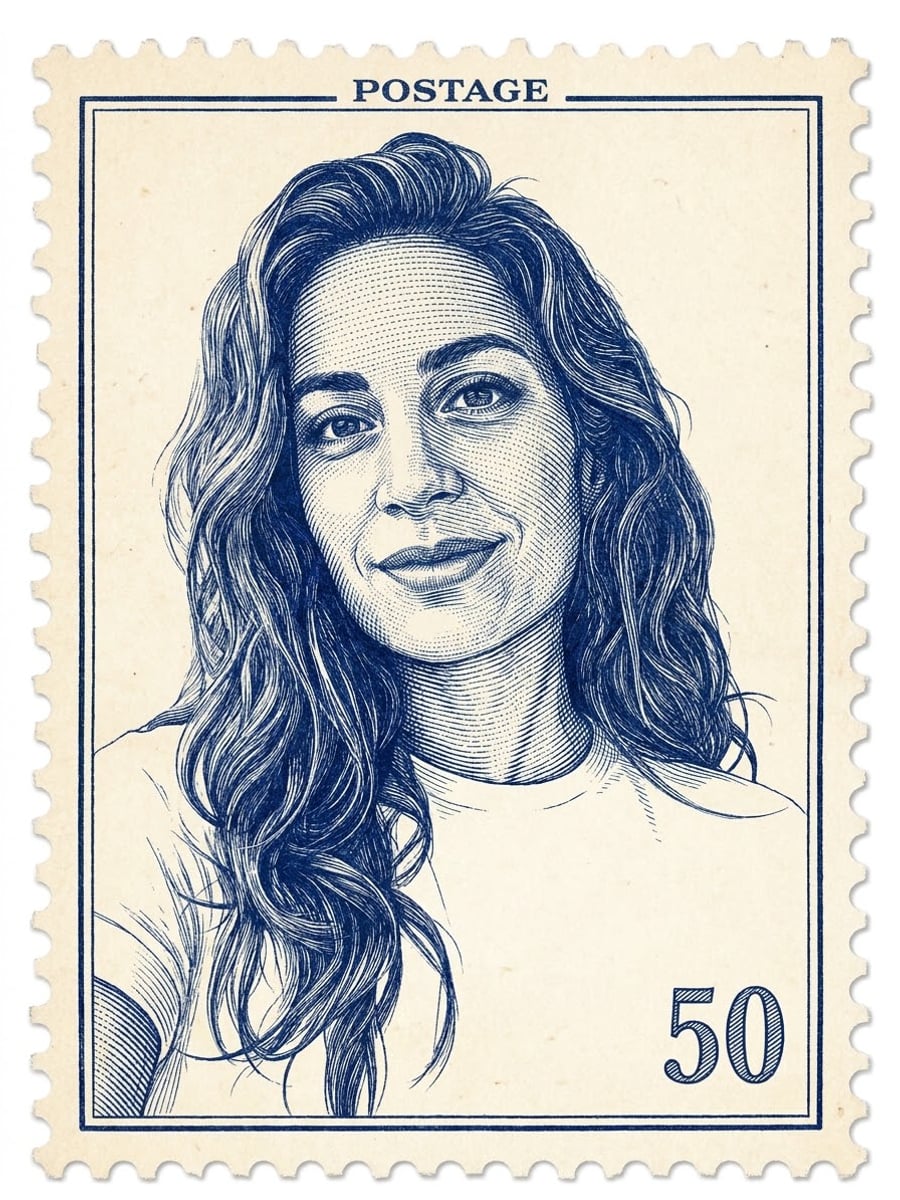
How to create this video
- 01Upload one photoAdd a clear portrait of one adult, face visible; head-and-shoulders photos work best.
- 02Choose a stamp styleClassic gives a blue engraved portrait on aged paper; Modern gives a bright color portrait with a red frame.
- 03Create and shareSelect Create image, then download your stamp from Library for a card, a scrapbook or a joke gift.
Why do portraits and postage stamps go together?
Postage stamps have carried portraits since the very first stamp, the Penny Black of 1840, which showed Queen Victoria in profile. Engraved portraits became a stamp tradition because fine-line engraving is hard to forge and prints beautifully at tiny sizes. This generator borrows that look for fun: your photo becomes the portrait, inside a perforated border, with a small denomination number as decoration.
Also searched as: postage stamp maker, photo to postage stamp, postage stamp effect, postage stamp filter, AI postage stamp generator, vintage postage stamp art, custom postage stamps with picture, stamp portrait from photo.
What is the difference between Classic and Modern stamps?
Classic renders the portrait as a fine-line copperplate engraving in one deep blue ink on aged cream paper, with “POSTAGE” at the top and a small 50 in the corner, like an early engraved stamp. Modern keeps the portrait bright and colorful with a thin red frame, a small star and a decorative 1.00. Both keep the same face and add the white perforated border.
Photo tips
- One adult, head and shoulders, face clearly visible
- Even light makes the engraving lines cleaner
- Simple backgrounds read best inside the frame
- Use photos of yourself or adults who agreed
- Decoration only: never valid as real postage
Effect details
- Input
- 1 photo of one adult
- Output
- A stamp portrait with perforated border
- Styles
- Classic engraving or modern color
- Aspect ratio
- 3:4 portrait
- Resolution
- 1K
- Cost
- First image free with a watermark, then 20 credits
- Failed job
- Credits or the free image returned
Frequently asked questions
Your first image on LeafReel is free, so your first result costs nothing and carries a LeafReel watermark. Buy any credit pack and that same image unlocks as the original file without the watermark. Each image after that costs 20 credits.
Upload one clear portrait, choose Classic or Modern and select Create image. The AI draws the person as a stamp portrait with a perforated white border, an engraved or colorful finish and a small decorative denomination.
No. The result is a decorative picture, not a postage product. It has no country name, no valid denomination and no postal authorization, so it cannot pay for mailing anything.
No. This page makes postage-stamp-style portraits from a photo. It does not design rubber stamps, official seals or logo stamps, and nothing here should be used on documents.
Yes. Both styles keep the same facial features, eye color, skin tone and age; Classic simply renders them as engraved lines. A sharp, well-lit portrait gives the strongest likeness.
Not on this page. The only lettering is the fixed decorative wording and number, so nothing personal comes out misspelled. Add your own caption in an editor if you want one.
Yes, as artwork. Generate a stamp portrait of the guest of honor, with their permission, and print it on invitations, stickers or scrapbook pages. Just never use it as actual postage.
Each stamp portrait costs 20 credits after your free image. The $9.90 One Video pack has 600 credits, enough for 30 images; on Pro each works out to about $0.17.
A failed stamp job returns its 20 credits automatically, or, if it was your free image, you can try again for free.