
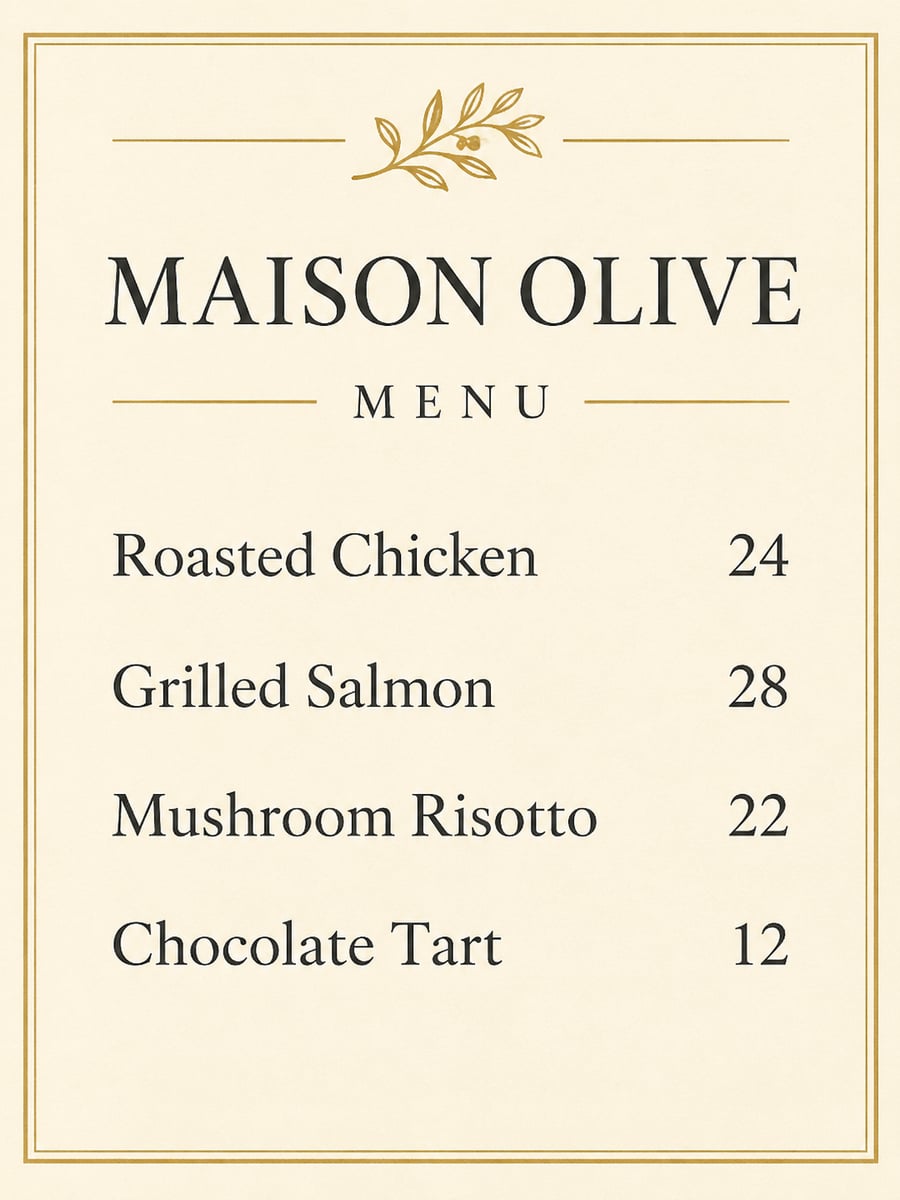
How to create this video
- 01Type the name and itemsEnter your restaurant or cafe name, then your dishes with prices, one per line, for example “Grilled Salmon - 28”.
- 02Choose a styleElegant gives a cream page with a gold border and serif type; Chalkboard gives a framed cafe board with chalk lettering.
- 03Create and downloadSelect Create image, then download the menu from Library and check every word before printing.
What does an AI menu generator design?
A menu is the printed or displayed list of what a restaurant serves, and its design sets expectations before the food arrives: fine-dining menus lean on serif type and white space, while cafes often use hand-lettered chalkboards. This generator designs that visual menu from the text you already have. It does not plan meals or suggest dishes; you bring the items and prices, and the AI handles the layout, lettering and decoration.
Also searched as: AI menu maker, AI menu generator for restaurant, restaurant menu maker AI, restaurant menu design AI, menu design generator, menu card maker AI, cafe menu design, create restaurant menu with AI.
How many dishes fit on one menu image?
Four to eight lines give the cleanest layout, with room for the name, decoration and readable type. Longer lists shrink the lettering and raise the chance of a spelling slip, so split a large menu into a drinks page and a food page. Write each line as the dish and its price, and keep the wording exactly as you want it printed.
Photo tips
- One dish and price per line, up to about 8 lines
- Short dish names stay readable
- Check every word on the result before printing
- No photo needed; everything comes from your text
- Split food and drinks into separate images for long menus
Effect details
- Input
- No photo; a name plus dishes and prices
- Output
- A designed menu image
- Styles
- Elegant paper or cafe chalkboard
- Aspect ratio
- 3:4 portrait
- Resolution
- 1K
- Cost
- First image free with a watermark, then 20 credits
- Failed job
- Credits or the free image returned
Frequently asked questions
Your first image on LeafReel is free, so your first result costs nothing and carries a LeafReel watermark. Buy any credit pack and that same image unlocks as the original file without the watermark. Each image after that costs 20 credits.
Type your restaurant name and your dishes with prices, one per line, choose Elegant or Chalkboard and select Create image. The AI designs the menu page around your exact text, with no photo and no prompt writing needed.
No. The menu shows the name, dishes and prices you type. LeafReel’s menu effect is a design tool, not a meal planner, so nothing is added to your list on purpose. Always read the finished image before using it.
The result is a finished image, not an editable template. To change a dish or a price, edit your text on the page and generate a new image; each new image costs 20 credits after your free one.
It is neither. The AI draws a new menu design as a 3:4 image at 1K, which you can download and print. There is no Word, Excel or PDF template and no editable layers.
No. The page creates the visual menu artwork only. It does not generate working QR codes, host an online menu or take orders.
Four to eight lines work best. More lines mean smaller type and a higher chance of a spelling error, so split long menus into separate food and drinks images.
Yes, type your items in your own language and the AI keeps that wording. Non-Latin scripts need an extra careful check: read every line of the result before printing, and regenerate if a character comes out wrong.
Each menu image costs 20 credits after your free image. The $9.90 One Video pack has 600 credits, enough for 30 images; on Pro each works out to about $0.17.
A failed menu job returns its 20 credits automatically, or, if it was your free image, you can try again for free.