
How to create this video
- 01Upload a photoAdd one clear, front-facing photo of yourself with the face fully visible.
- 02Pick a settingChoose Studio for a gray backdrop or Office for a blurred modern office.
- 03Create and useSelect Create image, then open Library to download your headshot for LinkedIn or your resume.
What is a professional headshot?
A headshot is a portrait of a person’s head and shoulders, usually facing the camera, used on LinkedIn, resumes, company websites and speaker bios. A good one has clean light, a simple background, neat clothes and a friendly, confident expression. An AI headshot gets you that look from a photo you already have, without booking a photographer.
Also searched as: AI headshot generator, AI headshot generator free, AI headshot generator for LinkedIn, professional headshot from photo, professional headshot from photo free, make professional headshot from photo, LinkedIn photo AI, AI profile picture for work.
Studio or Office: which headshot should I choose?
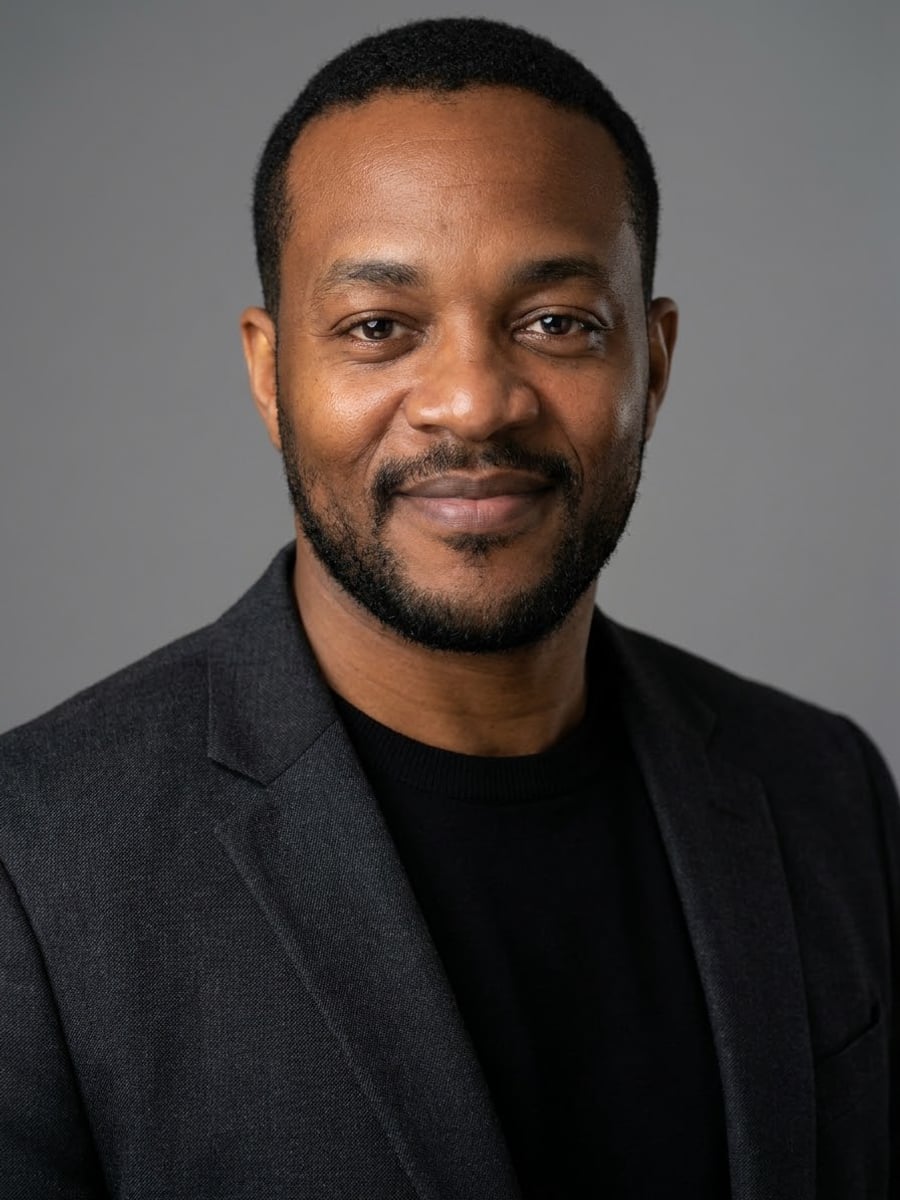
Studio is the classic corporate headshot: a well-fitted dark blazer over a plain top, neat hair and a confident, friendly look, lit by soft studio light on a plain mid-gray backdrop. Office is a warmer LinkedIn-style photo: smart business clothes in neutral colors and a warm smile, with a softly blurred, bright modern office and window light behind you.
Photo tips
- Front-facing photo, face sharp and evenly lit
- No sunglasses, hats or heavy filters
- One person in the photo; crop out others first
- Pick the setting that fits your industry
- Only make headshots of yourself
Effect details
- Input
- 1 photo of one person
- Looks
- Studio or Office
- Aspect ratio
- 3:4 portrait
- Resolution
- 1K
- Cost
- First image free with a watermark, then 20 credits
- Failed job
- Credits or the free image returned
Frequently asked questions
Your first image on LeafReel is free, so your first result costs nothing and carries a LeafReel watermark. Buy any credit pack and that same image unlocks as the original file without the watermark. Each image after that costs 20 credits.
Upload one clear photo, pick Studio or Office and select Create image. The AI keeps your face and gives you professional clothes, light and background.
Yes, it is made for profile photos: head and shoulders, facing the camera, clean light. At 1K it is sharp at the sizes LinkedIn and resumes display.
No. Official photos have strict rules and must be unedited, so use a real photo taken to those rules.
Yes. The AI keeps your facial features, eye color, skin tone and age; only clothes, hair neatness, light and background change. Check that the result represents you honestly before using it at work.
No. One clear photo is enough, and you get one headshot per image instead of a pack after a long wait.
Each headshot costs 20 credits after your free image. The $9.90 One Video pack has 600 credits, enough for 30 images; on Pro each works out to about $0.17.
A failed headshot job returns its 20 credits automatically, or, if it was your free image, you can try again for free.