
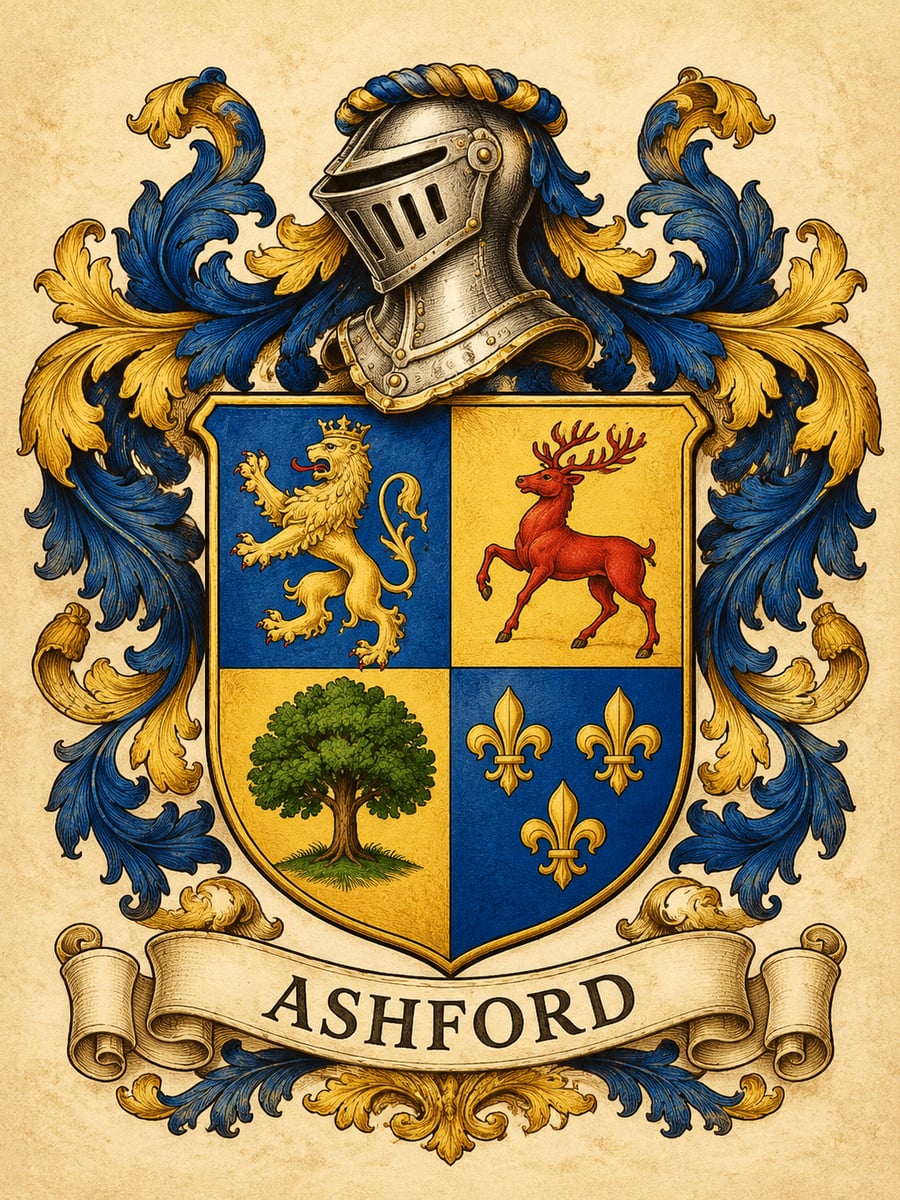
How to create this video
- 01Pick a styleChoose Classic for a traditional engraved coat of arms or Modern for a minimalist crest logo.
- 02Type your family nameEnter the family name for the ribbon or caption, up to 30 characters.
- 03Create and downloadSelect Create image, then open Library to download your crest.
Is a family crest the same as a coat of arms?
Not quite. A coat of arms is the full heraldic design around a shield, while the crest is strictly the part above the helmet, though most people use “family crest” for the whole thing. In traditional heraldry, arms were granted to individuals rather than to everyone with a surname. The Family Crest Generator creates a new, original design for your family name; it is not a historical record of your ancestors’ arms.
Also searched as: family crest maker, family crest generator free, coat of arms generator, AI coat of arms, crest generator, create my family crest, online family crest maker, build a coat of arms online.
Classic or Modern: which crest should I choose?
Classic is a detailed engraved coat of arms on parchment, with a shield of symbolic animals and plants in rich heraldic colors, a knight’s helm, flowing mantling and your name on a ribbon; it suits framed prints and family reunions. Modern is a flat, minimalist shield with one stylized animal and two stars in two colors, with your name below; it suits logos, invitations and merchandise.
Photo tips
- Short names print most cleanly on the ribbon
- Check spelling before you create; the AI copies your text
- Each run gives a new design; make a few and pick one
- The crest is original art, not a historical record
- No photo is needed
Effect details
- Input
- No photo; your family name
- Looks
- Classic or Modern
- Aspect ratio
- 3:4 portrait
- Resolution
- 1K
- Cost
- First image free with a watermark, then 20 credits
- Failed job
- Credits or the free image returned
Frequently asked questions
Your first image on LeafReel is free, so your first family crest costs nothing and carries a LeafReel watermark. Buy any credit pack and that same crest unlocks as the original file without the watermark. Each crest after that costs 20 credits.
Open the Family Crest Generator, pick Classic or Modern, type your family name and select Create image. The AI designs a shield, symbols and colors and writes your name on the crest.
No. In traditional heraldry, arms belonged to individual people, so there is usually no single coat of arms for a surname. The Family Crest Generator makes a new design for your family instead of looking up a historical one.
Not yet. The AI picks the symbols and colors for each design, and only your family name is written on the crest. Create a few versions and keep the one you like best.
Classic is a detailed engraved coat of arms with shield, helm, mantling and ribbon. Modern is a flat two-color shield logo with one animal and two stars.
Yes, you can use the crest you create for personal projects such as reunion shirts, invitations and gifts. The 1K image is sized for screens and small prints; ask a printer or jeweler if they need a larger or vector file.
Each crest costs 20 credits after your free image. The $9.90 One Video pack has 600 credits, enough for 30 images; on Pro each works out to about $0.17.
Yes. Type a house name, guild or team name instead of a surname; the Classic style works well for fantasy houses and the Modern style for clubs and teams.
A failed family crest job returns its 20 credits automatically, or, if it was your free image, you can try again for free.