
How to create this video
- 01Pick a page styleChoose Cute stickers for a pastel sticker page or Vintage journal for a sepia travel diary.
- 02Upload one photoAdd a photo of one person with the face visible; a big smile works great.
- 03Create and downloadSelect Create image, then open Library to download your scrapbook page.
What is the AI scrapbook trend?
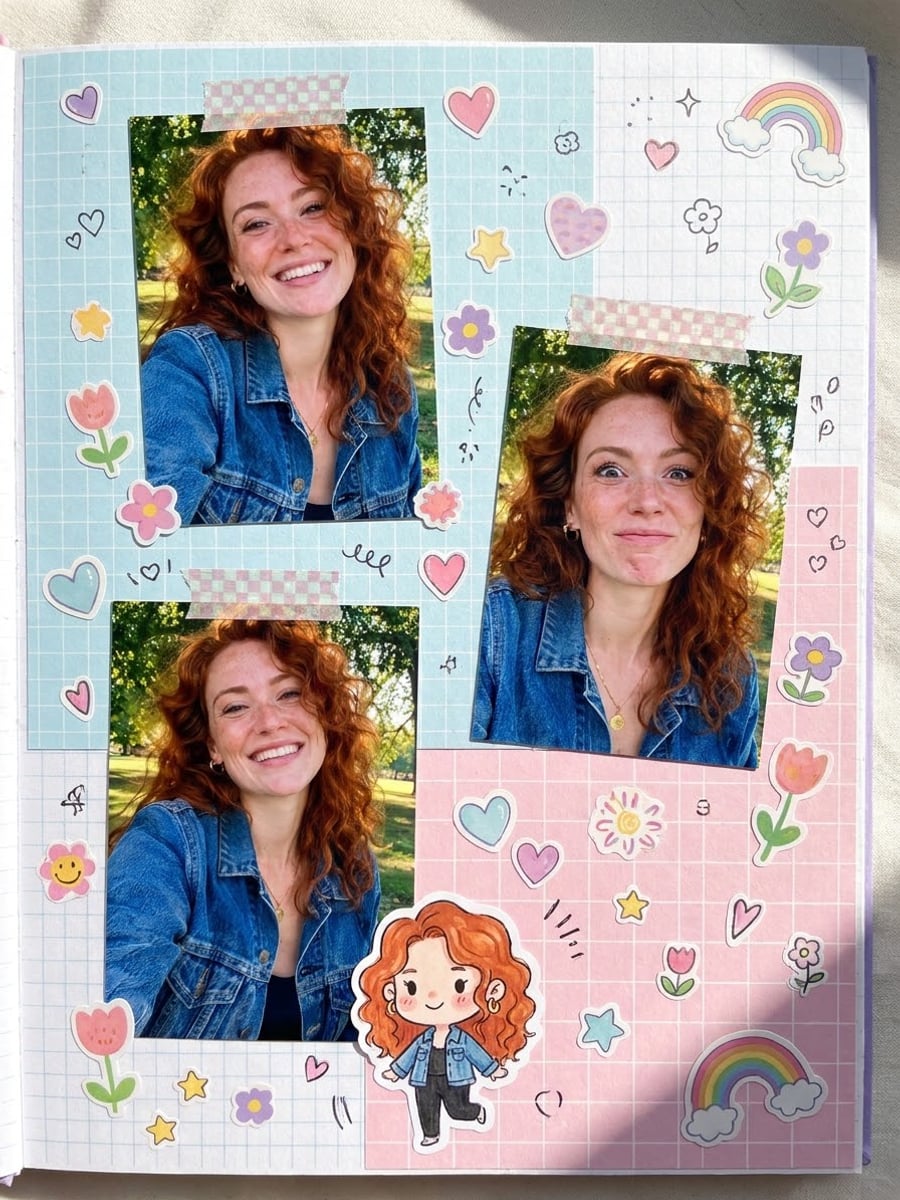
Scrapbooking is the craft of arranging photos, paper, stickers and souvenirs on decorated pages to keep memories. The AI scrapbook trend recreates that look digitally: one photo becomes several printed cut-outs on a textured page, so it looks like a journal spread without scissors or glue. The AI Scrapbook Generator keeps the page free of written words so it stays clean to share.
Also searched as: AI scrapbook maker, scrapbook AI, AI scrapbook trend, scrapbook photo effect, digital scrapbook maker AI, scrapbook collage maker AI, ChatGPT scrapbook prompt.
Which scrapbook style should I choose?
Cute stickers shows three printed photos of you in different playful poses, taped with washi tape to pastel grid paper and surrounded by hearts, stars, flowers, doodles and a small chibi cartoon of you. Vintage journal shows two aged prints with white borders tucked onto torn kraft paper with pressed flowers, old stamps, string and warm sepia tones.
Photo tips
- One person, face clearly visible
- Smiling, natural photos give the liveliest page
- The poses on the page come from the AI, not only your photo
- No written words appear on the page
- Make one page per photo, then collect them in an album
Effect details
- Input
- 1 photo of one person
- Looks
- Cute stickers or Vintage journal
- Aspect ratio
- 3:4 portrait
- Resolution
- 1K
- Cost
- First image free with a watermark, then 20 credits
- Failed job
- Credits or the free image returned
Frequently asked questions
Your first image on LeafReel is free, so your first AI scrapbook page costs nothing and carries a LeafReel watermark. Buy any credit pack and that same page unlocks as the original file without the watermark. Each page after that costs 20 credits.
Open the AI Scrapbook Generator, pick Cute stickers or Vintage journal, upload one photo and select Create image. The AI prints you as cut-out photos and decorates the page around them.
Not yet. The AI Scrapbook Generator takes one photo and creates the extra poses itself. To mix your own photos, create one page per photo and arrange them in an album.
Yes, every cut-out keeps the face, skin tone, hair color and age from your photo; the chibi doodle on the Cute stickers page is a cartoon version of you.
The page is created without written words so letters never come out garbled. Add a title or date afterwards in any photo editor.
No. The AI Scrapbook Generator runs a fixed recipe for each style, so the only input is your photo. To write your own prompt, use an image model such as [Nano Banana Pro](/models/nano-banana-pro).
Each page costs 20 credits after your free image. The $9.90 One Video pack has 600 credits, enough for 30 pages; on Pro each works out to about $0.17.
A friend, yes, if that adult agrees. A child, yes, with permission from a parent or guardian. Photos of celebrities are not allowed.
A failed scrapbook job returns its 20 credits automatically, or, if it was your free image, you can try again for free.