
How to create this video
- 01Pick a lookChoose Gift toss for a laughing side view or Gift stack for a front view looking into the camera.
- 02Upload one portraitUse a sharp photo of one person with the face clearly visible. Confirm you have the person’s permission.
- 03Create and downloadSelect Create image. When it finishes, open Library to download your elf photo.
What is a Christmas elf, and why does it make a good holiday photo?
A Christmas elf is one of Santa Claus’s small helpers who, in the English-speaking tradition, make toys in Santa’s workshop at the North Pole. They are usually drawn in green or red with large pointed ears and pointed hats. The workshop image was popularized by the cover of Godey’s Lady’s Book’s 1873 Christmas issue, and the 1823 poem A Visit from St. Nicholas even calls Santa “a right jolly old elf.” A Christmas Elf AI photo keeps that familiar look, so it reads instantly as a holiday picture in a card, a profile photo or a group chat.
Also searched as: turn me into an elf, turn yourself into an elf online free, turn my photo into a Christmas elf, Christmas elf AI generator free, elf photo generator, make me an elf.
Which Christmas elf look should I choose?
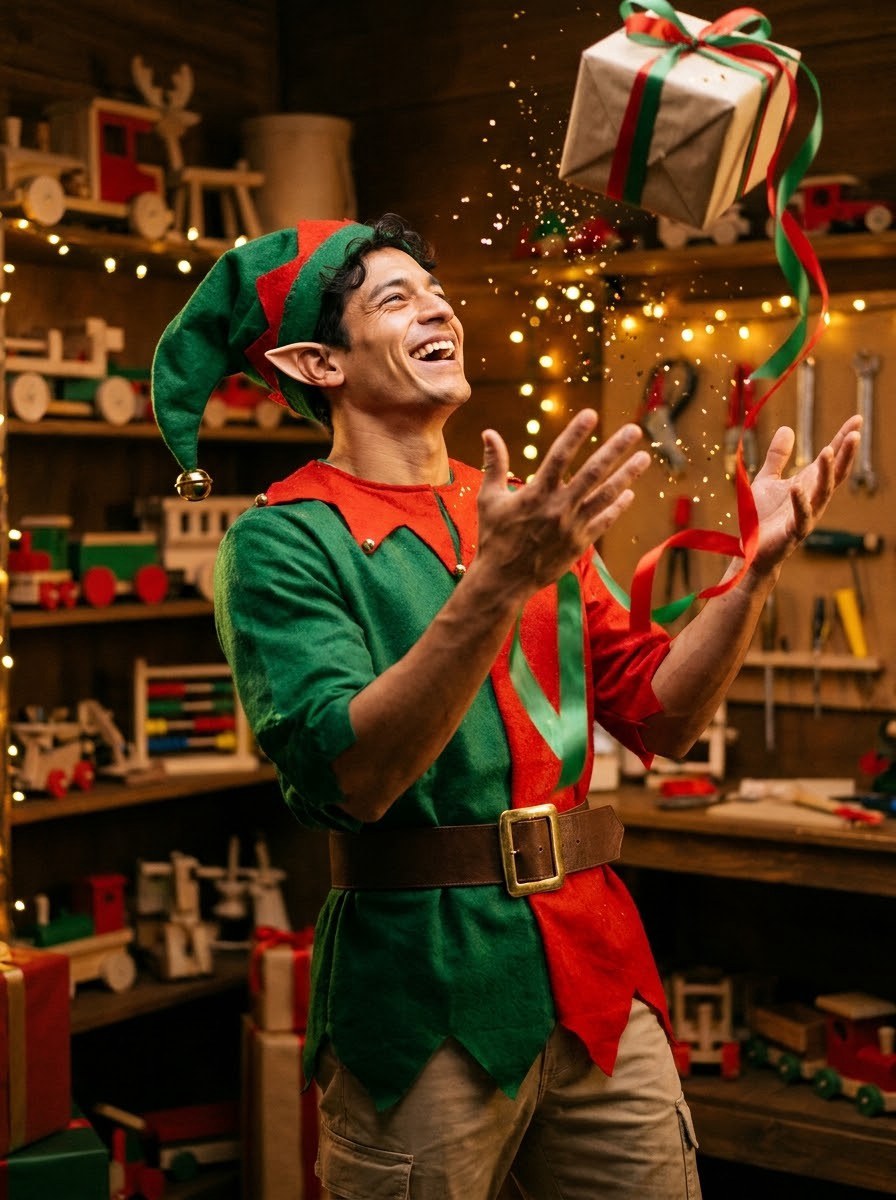
Gift toss shows the person mid-laugh at a three-quarter angle, throwing a wrapped present into the air with ribbons and glitter flying; it feels like a candid party photo. Gift stack shows the person from the front, looking straight into the camera while hugging a tall, tipping stack of presents; it keeps the whole face in view, which works well for profile photos and cards. Each look is a separate 20-credit image, so you can make both from the same photo.
Photo tips
- One person only in the photo
- Face clearly visible, not covered by sunglasses or a mask
- Even light on the face
- Close-up or upper-body photos work best
- Clothes come from the elf outfit, not from the photo
- Children only with a parent’s or guardian’s permission; no celebrities
Effect details
- Input
- 1 portrait photo of one person
- Looks
- Gift toss or Gift stack
- Aspect ratio
- 3:4 portrait
- Resolution
- 1K
- Cost
- First image free with a watermark, then 20 credits
- Failed job
- Credits or the free image returned
Frequently asked questions
Yes. Your first image on LeafReel is free, so your first Christmas Elf AI photo costs nothing and comes with a LeafReel watermark. Buy any credit pack and that same photo switches to the full-size original without the watermark. After the free one, each elf photo costs 20 credits.
Open Christmas Elf AI, pick Gift toss or Gift stack, upload one portrait and select Create image. The AI keeps the face from your photo and adds pointed ears, an elf hat, an elf outfit and Santa’s workshop around it.
Yes, the face, skin tone, hair color and age come from your photo. A sharp, well-lit photo with the face fully visible gives the closest likeness.
Each Christmas Elf AI photo costs 20 credits after your free one. The $9.90 One Video pack has 600 credits, enough for 30 elf photos; on Pro each works out to about $0.17.
Gift toss is a laughing three-quarter view throwing a present into the air. Gift stack is a front view looking into the camera from behind a pile of presents, so the whole face shows.
No. Christmas Elf AI runs a fixed recipe for each look, so the only input is your photo. To write your own holiday scene, use an image model such as [Nano Banana Pro](/models/nano-banana-pro).
A friend, yes, if that adult agrees. A child, yes, with permission from a parent or guardian. Photos of celebrities and public figures are not allowed.
No. Use a photo of one person; Christmas Elf AI makes one elf per image.
Not with this effect, which makes a still image. To animate the elf photo, upload it as a reference in a video model such as [Seedance 2 Mini](/models/seedance-2-mini).
A failed Christmas Elf AI job returns its 20 credits automatically, or, if it was your free image, you can try again for free.