
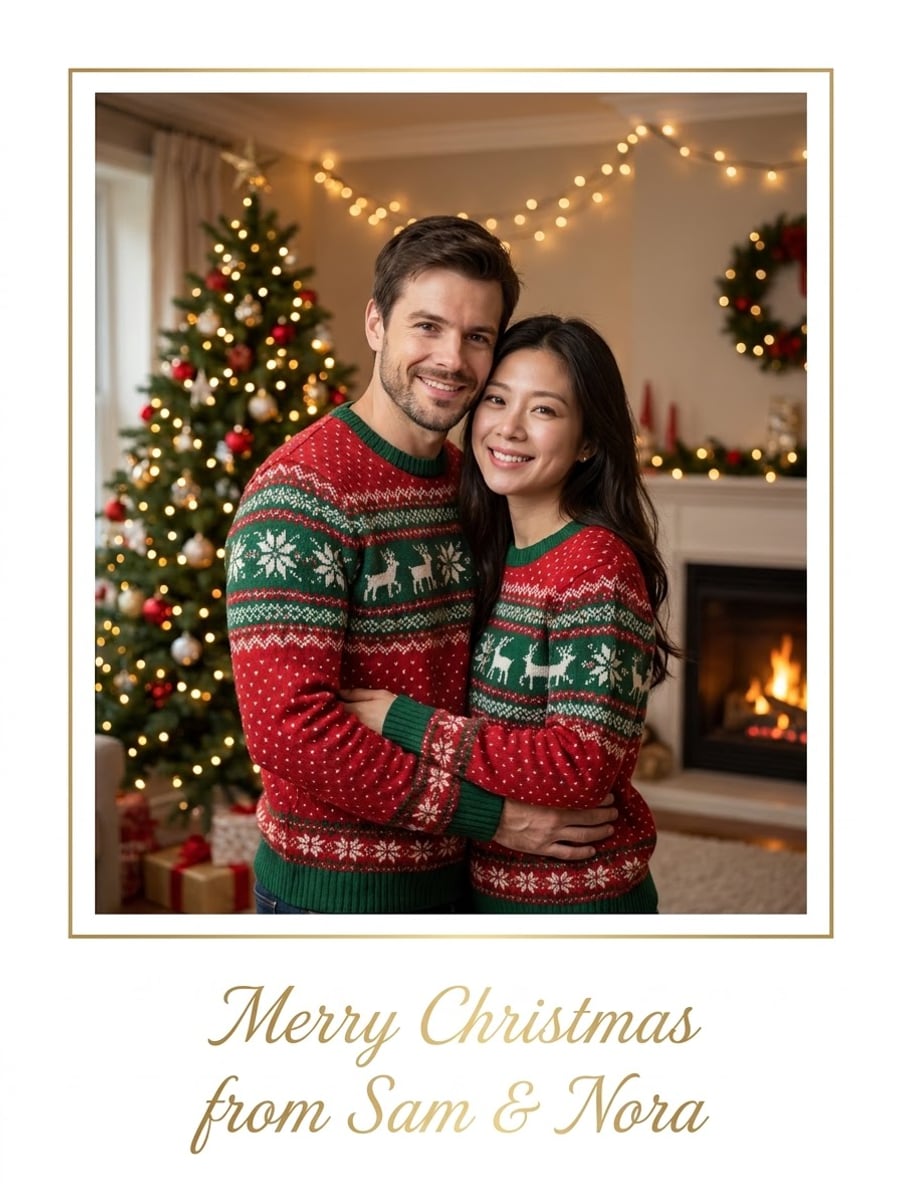
How to create this video
- 01Upload a photoAdd one clear photo of you, a couple or a small family with faces visible; everyone in it should agree.
- 02Type the greetingWrite the card text, up to 50 characters, and pick Classic or Watercolor.
- 03Create and sendSelect Create image, then open Library to download the card and share or print it.
What is a photo Christmas card?
A Christmas card is a greeting card sent before Christmas, a custom that took off in Victorian Britain in the 1840s. Photo cards, showing the sender’s family in front of a tree or in matching sweaters, are now one of the most popular kinds. The AI Christmas Card Generator makes that card from any everyday photo, so you do not need a holiday photoshoot.
Also searched as: AI Christmas card generator, Christmas card generator from photo, Christmas card maker with photo, make a Christmas card from a photo, AI Christmas photo generator, Christmas photo generator free, family Christmas card AI, Christmas card generator with faces.
Classic or Watercolor: which Christmas card should I choose?
Classic is a photo card: everyone from your photo wears matching red and green knit sweaters in a cozy living room with a lit tree and a fireplace, framed by a thin gold border, with your greeting in gold script at the bottom. Watercolor is an illustrated card: the same people are painted in soft watercolor with scarves and knit hats on a snowy village street, with your greeting hand-lettered in red at the top.
Photo tips
- Faces should be clear and not covered
- One to four people works best; fewer people keep faces clearest
- Check spelling before you create; the AI copies your text
- Short greetings fit the card best
- Use photos of yourself or people who agreed
Effect details
- Input
- 1 photo (person, couple or family) and a greeting
- Looks
- Classic or Watercolor
- Aspect ratio
- 3:4 portrait
- Resolution
- 1K
- Cost
- First image free with a watermark, then 20 credits
- Failed job
- Credits or the free image returned
Frequently asked questions
Your first image on LeafReel is free, so your first Christmas card costs nothing and carries a LeafReel watermark. Buy any credit pack and that same image unlocks as the original file without the watermark. Each card after that costs 20 credits.
Upload one photo, type your greeting, pick Classic or Watercolor and select Create image. The AI keeps the faces from your photo, dresses everyone for Christmas and lays out the card with your text.
Yes. Upload one photo with everyone in it; the AI keeps the same people and the same number of people. Cards with one to four people look best, because larger groups get smaller faces.
The Classic look works as a Christmas photo too: it is a holiday portrait in matching sweaters by the tree, with a thin border and your greeting. Type a short greeting such as Merry Christmas if you want minimal text.
Yes. Type it in any language, such as Feliz Navidad or Joyeux Noël. Short greetings with Latin letters come out most reliably; check the spelling on the result.
You can download the 1K image and print it at small card or postcard size, or send it by message and email. For large prints, the 1K resolution may look soft.
Yes. The AI keeps each face, skin tone, hair color and age from your photo; only the clothes and the background change for the card.
Each Christmas card costs 20 credits after your free image. The $9.90 One Video pack has 600 credits, enough for 30 images; on Pro each works out to about $0.17.
A failed Christmas card job returns its 20 credits automatically, or, if it was your free image, you can try again for free.