
Nano Banana Pro vs Nano Banana 2: Same Prompts, Side by Side
Nano Banana Pro vs Nano Banana 2 (now 2.1) tested on the same five prompts: text, portraits, products and busy scenes, plus price, speed and which to pick.
Nano Banana Pro and Nano Banana 2 are both Google image models, and in our tests they were closer than the price gap suggests. We ran the same five prompts through Nano Banana Pro and Nano Banana 2.1, the October 2026 successor to Nano Banana 2. Both spelled every word correctly. Pro gave calmer, more photographic results; 2.1 packed in more detail, finished faster on most prompts, and costs a third less on LeafReel.
The short answer
- Pick Nano Banana 2.1 for most images: posters, social graphics, illustrations and quick product shots. It costs 12 credits at 1K and was as accurate as Pro in our tests.
- Pick Nano Banana Pro when the result has to look like a real photograph or a printed piece, and a slightly higher price per image does not matter. It costs 18 credits at 1K.
- Pick Nano Banana 2 Lite for fast, cheap 1K drafts at 3 credits, then redo the keeper with 2.1 or Pro.
Nano Banana 2 vs 2.1: which one is "Nano Banana 2" now?
Google released Nano Banana 2 (Gemini 3.1 Flash Image) earlier in 2026 and Nano Banana 2.1 on October 6, 2026 as its successor. LeafReel has replaced Nano Banana 2 with 2.1, so this test uses 2.1. If you search for "Nano Banana 2 vs Pro", 2.1 is the version you can use today.
How we tested
- Same prompt, one image per model, no reference images, run on November 10, 2026.
- Both at 1K, through the same image service LeafReel uses.
- We did not set an aspect ratio, so each model chose its own. That turned out to matter, as the poster test shows.
- No retries and no cherry-picking: each image below is the first and only result.
Test 1: a travel poster with a headline
Prompt: a vintage travel poster for Lisbon with the headline "LISBON", the line "City of Seven Hills" and a yellow tram on a steep street at sunset.
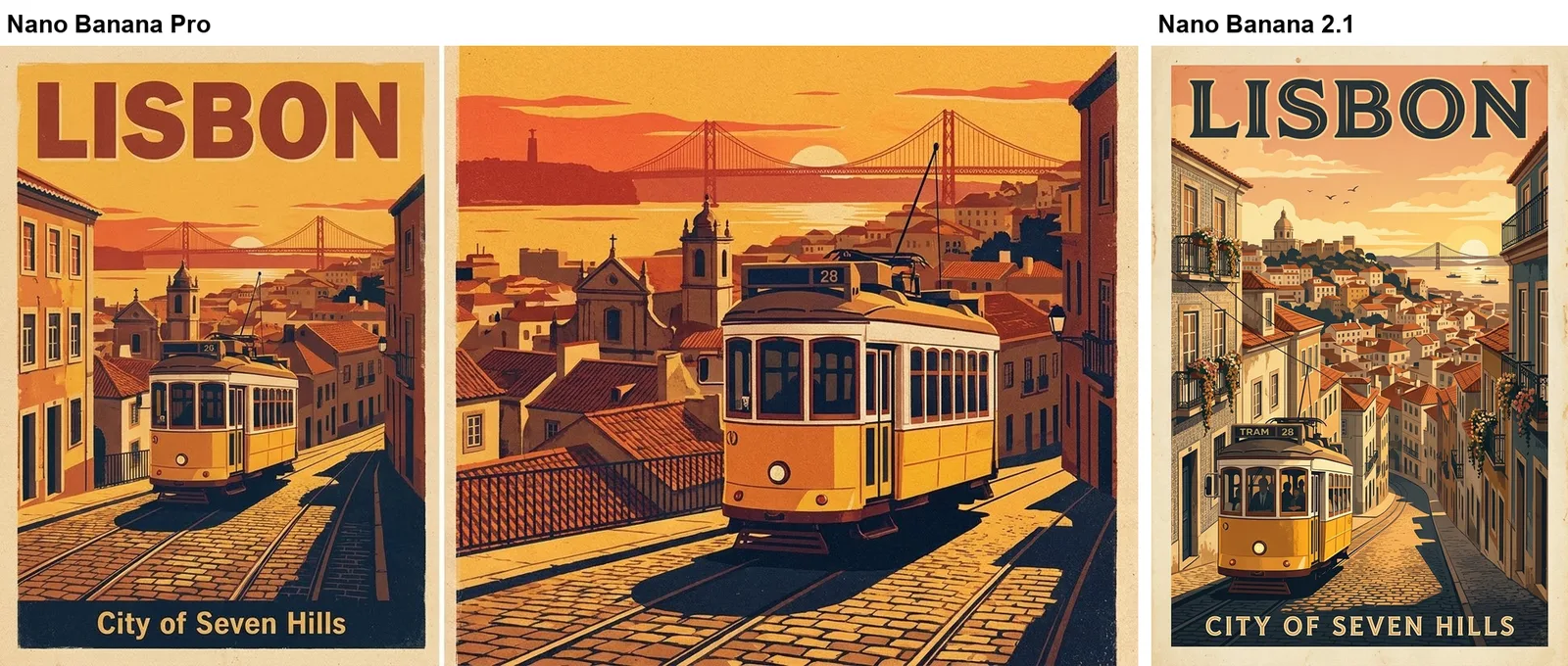
Both spelled the text correctly. Without an aspect ratio, Pro returned a wide image with the poster on the left and a second, text-free scene beside it. 2.1 returned a single portrait poster, ready to use. Lesson: always set the aspect ratio for posters, whichever model you use.
Test 2: a recipe card with four steps of text
Prompt: an illustrated recipe card titled "Lemon Ricotta Pancakes" with four numbered steps, each written out word for word.
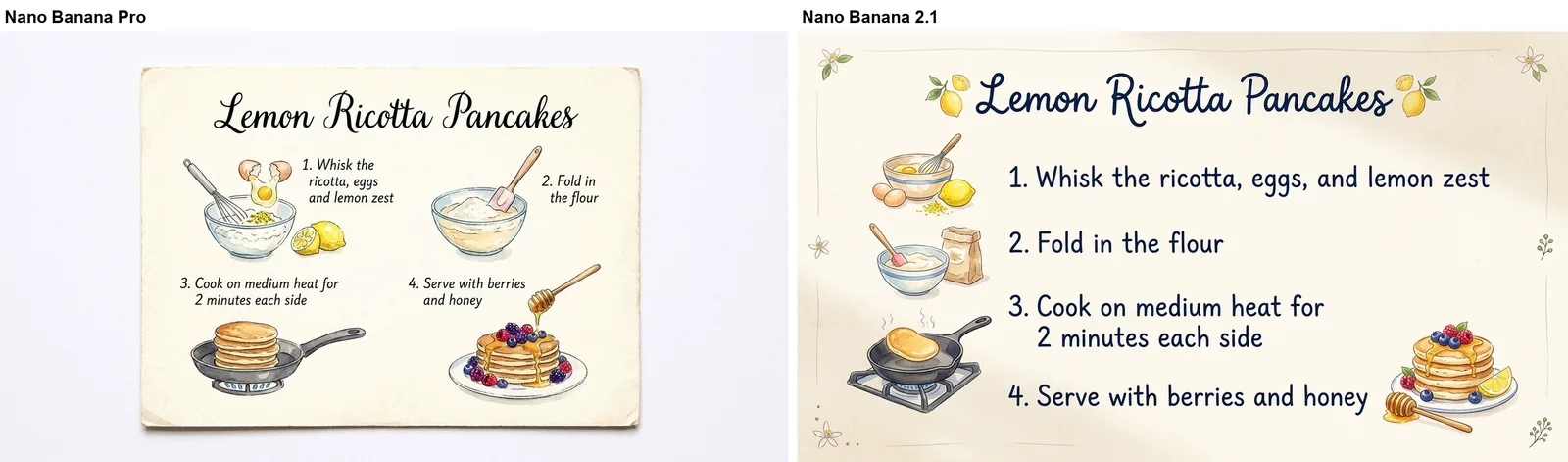
Every word was readable and correct in both. Pro styled it as a photographed card on a table with small handwriting. 2.1 used larger, clearer type that reads better on a phone, and added one comma that was not in the prompt ("eggs, and lemon zest"). For infographics, both are usable; still proofread every line.
Test 3: an editorial portrait
Prompt: a fashion photo of a fictional woman with long box braids in a mustard coat on a rainy Tokyo street at night, 85mm lens, natural skin texture.
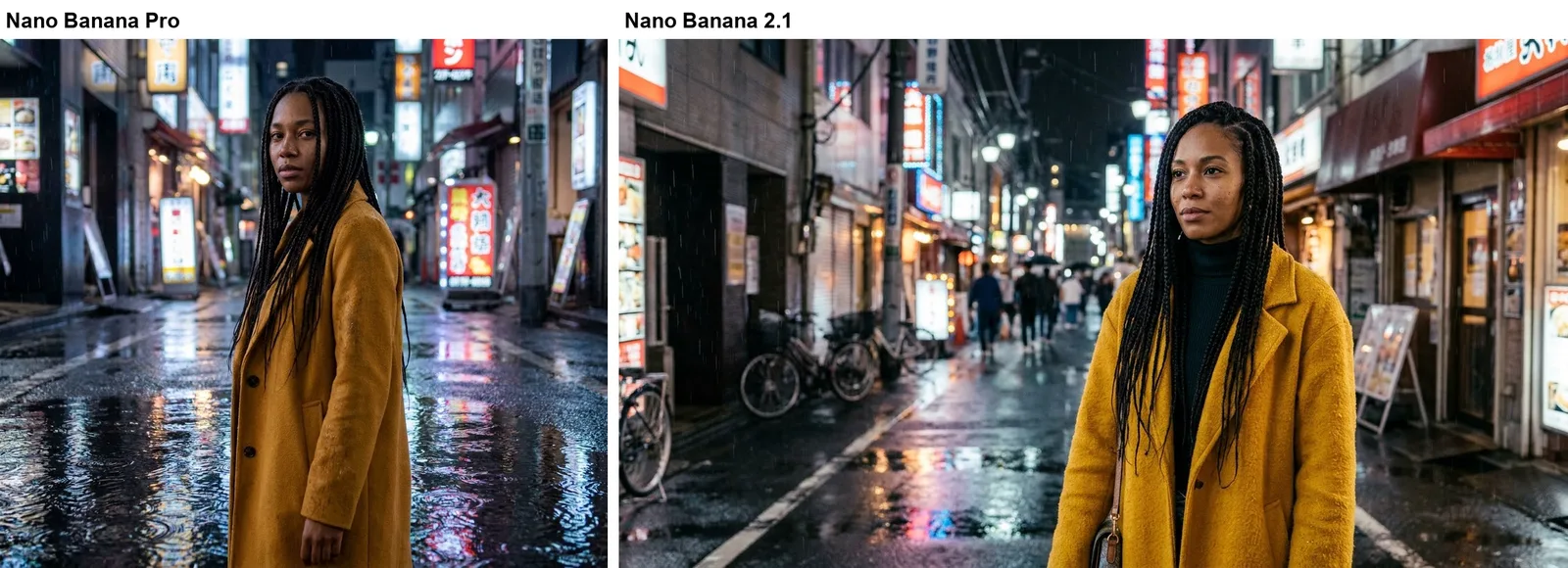
This is where Pro's reputation shows. Its image has the mood of a magazine shoot: a turned pose, rain rings in the puddles and a believable lens blur. 2.1 is also convincing, with more street detail and people in the background, but reads more like a good travel photo than an editorial.
Test 4: a product photo
Prompt: a matte sage-green ceramic mug on a travertine block with eucalyptus, soft window light, beige background.
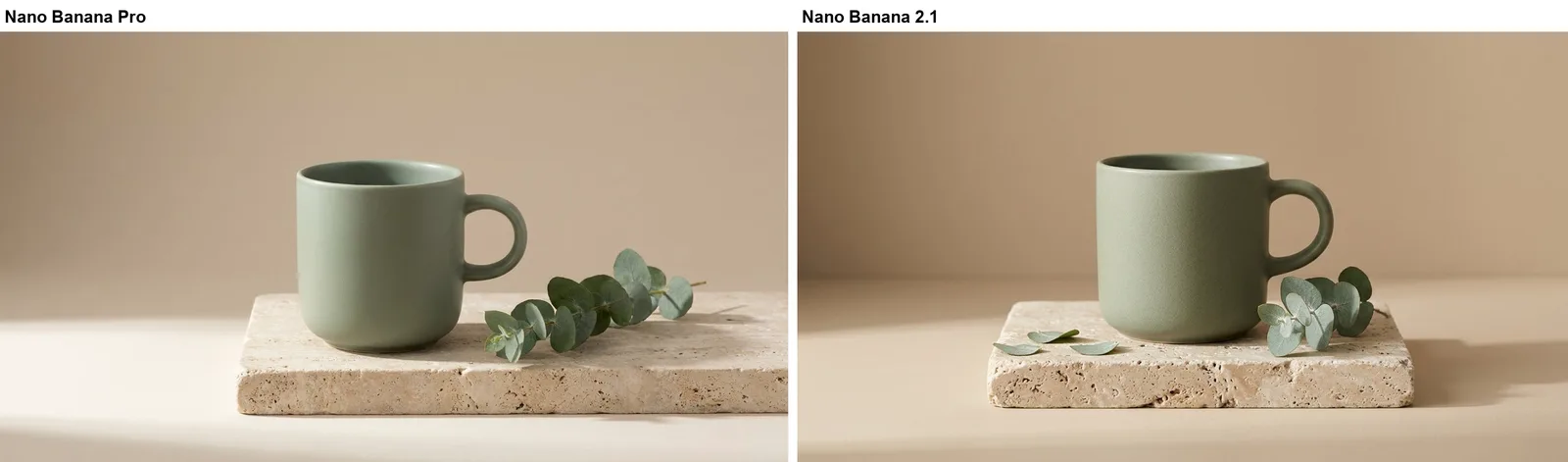
Almost a tie. Both nailed the color, material and light. Pro's shadow is softer; 2.1 added a few loose leaves on the stone. For simple e-commerce shots, the cheaper model is enough.
Test 5: a busy scene with many parts
Prompt: an isometric cutaway of a three-story corner bookshop with a cafe and barista downstairs, a reading nook on the second floor, a cat asleep on the top-floor windowsill and about twenty tiny people.
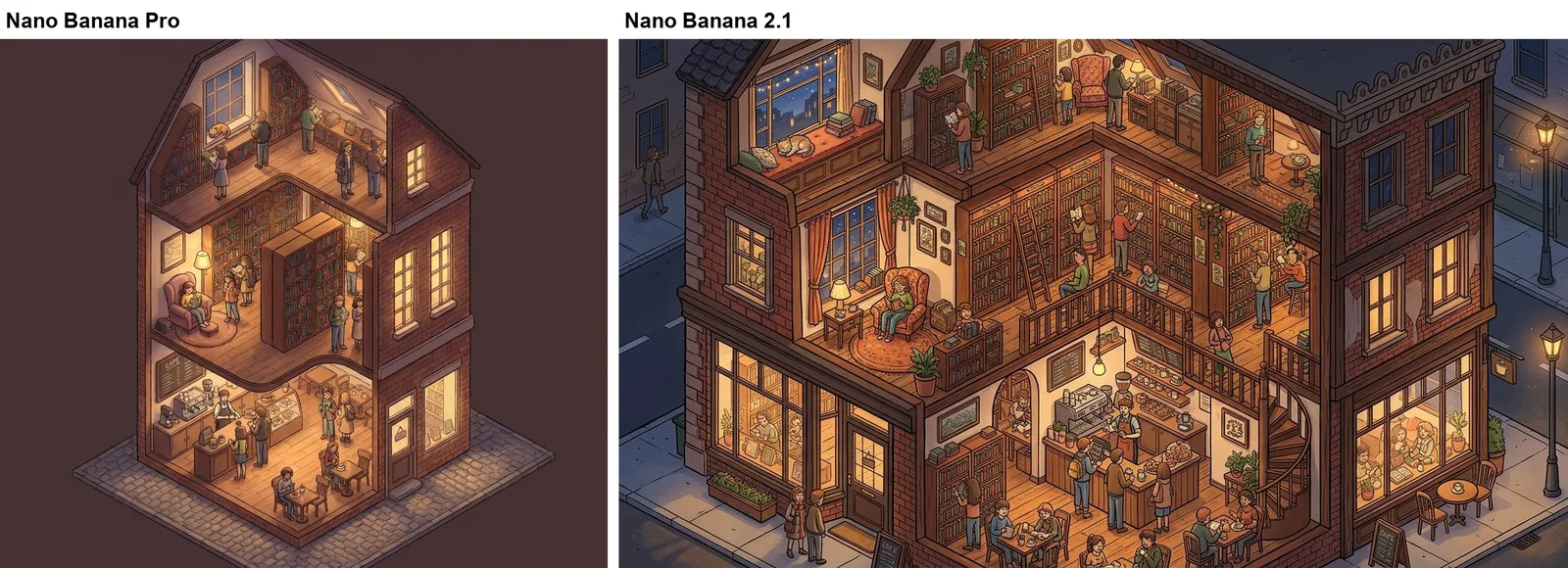
Both placed the cafe, the reading nook and the sleeping cat where the prompt asked. 2.1 drew a richer scene, with a spiral staircase, a street corner and more people. Pro's version is simpler and cleaner, on a plain background. If you want a crowded, detailed illustration, 2.1 did more with the same words.
Price and speed on LeafReel
- Nano Banana 2.1: 12 credits at 1K, 20 at 2K, 34 at 4K. Up to 10 reference images. 19 to 37 seconds per image in our test.
- Nano Banana Pro: 18 credits at 1K, 29 at 2K, 51 at 4K. Up to 10 reference images. 31 to 37 seconds per image in our test.
- Nano Banana 2 Lite: 3 credits, 1K only. Up to 10 reference images. Not part of this test.
Times are from one run and depend on load, so treat them as a rough guide. In our run, 2.1 was faster on four of five prompts.
Which one should you use?
- Social posts, posters, thumbnails and illustrations: Nano Banana 2.1.
- Photographic portraits, fashion and anything printed large: Nano Banana Pro, at 2K or 4K.
- Lots of rough ideas fast: Nano Banana 2 Lite, then upgrade the best one.
Questions
Is Nano Banana Pro better than Nano Banana 2? Not across the board. In our five tests Pro looked more photographic and polished, while 2.1 matched it on text accuracy and added more detail for less money.
Is Nano Banana 2 the same as Nano Banana 2.1? No. 2.1 is the newer version Google released in October 2026. On LeafReel it has replaced Nano Banana 2.
Which Nano Banana is best for text in images? Both 2.1 and Pro spelled every word correctly in our poster and recipe tests. 2.1 chose larger type, which reads better on small screens.
Can Nano Banana make GIFs? No. Every Nano Banana model makes still images. To animate one, turn it into a short video with an image-to-video model, then convert the clip with the free video to GIF converter.
Can I try them for free? Each LeafReel account gets one free 1K image with a watermark. Any purchase removes the watermark.