
How to create this video
- 01Upload one photoAdd a clear photo of one adult with the face fully visible.
- 02CreateSelect Create image; there is nothing to type or choose.
- 03Download and shareOpen Library to download your Renaissance portrait.
What is a Renaissance portrait?
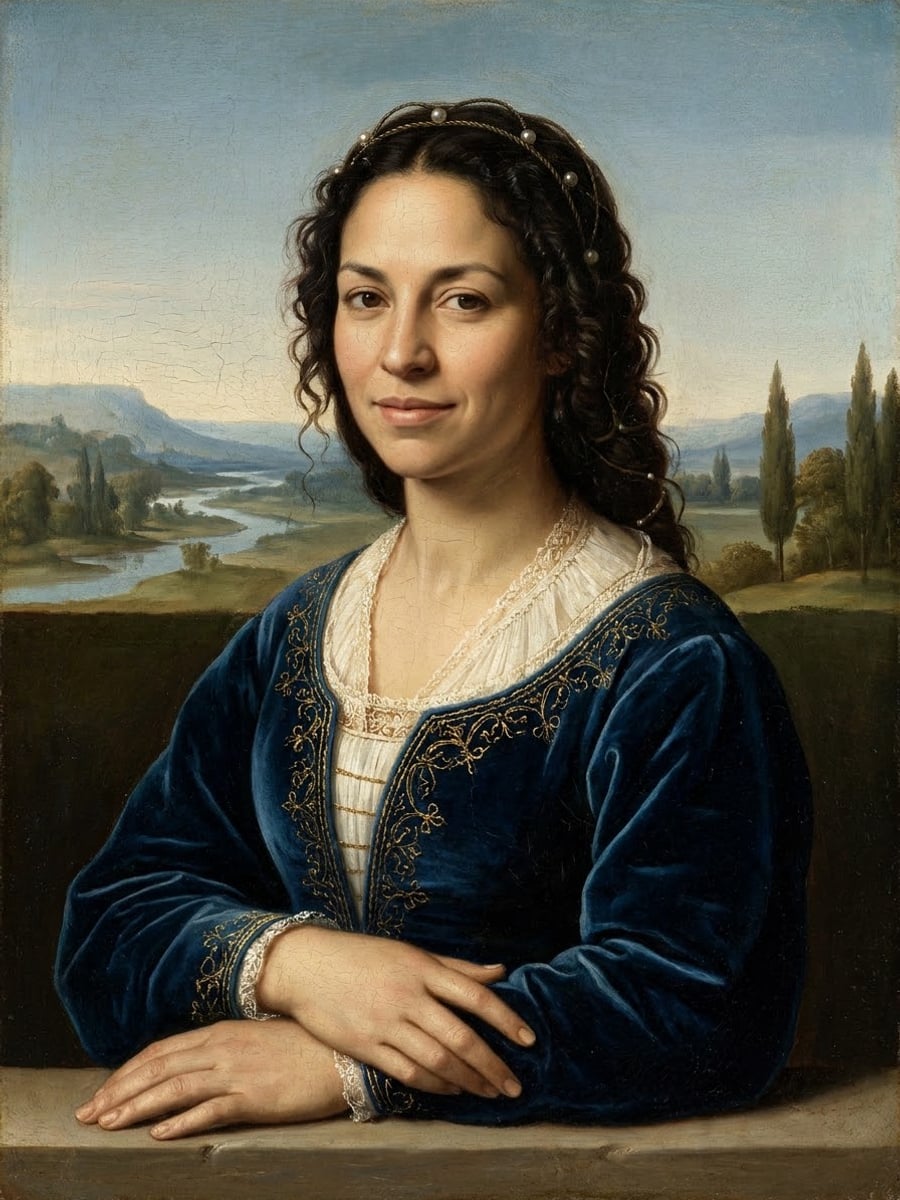
The Renaissance was a period of renewed interest in ancient art and learning that began in Italy in the 14th century. Renaissance portrait painters showed sitters in a calm three-quarter view, often before a distant landscape, and used soft gradual shading, called sfumato, to model the face. A Renaissance painting filter recreates that style from a modern photo; it is not a copy of any existing painting.
Also searched as: turn me into a Renaissance painting, Renaissance portrait from photo, Renaissance painting from photo, AI Renaissance painting from photo, Renaissance painting generator from photo, photo to Renaissance painting AI, Renaissance style painting AI.
What does the Renaissance portrait look like?
The Renaissance portrait follows Italian painting around 1500: a three-quarter view with a calm, subtle expression, deep velvet and fine linen clothing with a simple period headpiece, hands folded on a stone ledge, a soft hazy landscape of hills, a river and distant trees, and oil on wood panel with smooth glazes, sfumato shading and fine craquelure. The face, skin tone, hair color and age stay yours.
Photo tips
- One adult, face fully visible
- A calm, slight smile suits the period
- Soft, even light looks most painterly
- Front or three-quarter photos work best
- Use photos of yourself or adults who agreed
Effect details
- Input
- 1 photo of one adult
- Output
- The same person as an Italian Renaissance portrait
- Aspect ratio
- 3:4 portrait
- Resolution
- 1K
- Cost
- First image free with a watermark, then 20 credits
- Failed job
- Credits or the free image returned
Frequently asked questions
Your first image on LeafReel is free, so your first result costs nothing and carries a LeafReel watermark. Buy any credit pack and that same image unlocks as the original file without the watermark. Each image after that costs 20 credits.
Upload one clear photo and select Create image. The AI repaints you as an Italian Renaissance portrait with period clothes and a hazy landscape.
Yes. The face, skin tone, hair color and age come from your photo; the clothes, pose and painting technique become Renaissance.
No. It follows the style and composition typical of the period without copying any specific painting.
[Photo to Painting](/image-effects/photo-to-painting) keeps your clothes and setting and changes only the medium; this page also dresses you and places you in a Renaissance composition.
Yes, for personal use. The 1K file looks sharp on cards and small prints; large canvases may look soft.
Only of adults who agreed. Photos of children, celebrities or people who did not consent are not allowed, and results must not be used to mock or harass anyone.
LeafReel does not grant or guarantee commercial rights to results. You keep the rights you already hold in your photo; before selling or advertising with the image, check the model terms and get written permission from the person shown.
Each Renaissance portrait costs 20 credits after your free image. The $9.90 One Video pack has 600 credits, enough for 30 images; on Pro each works out to about $0.17.
A failed Renaissance job returns its 20 credits automatically, or, if it was your free image, you can try again for free.