
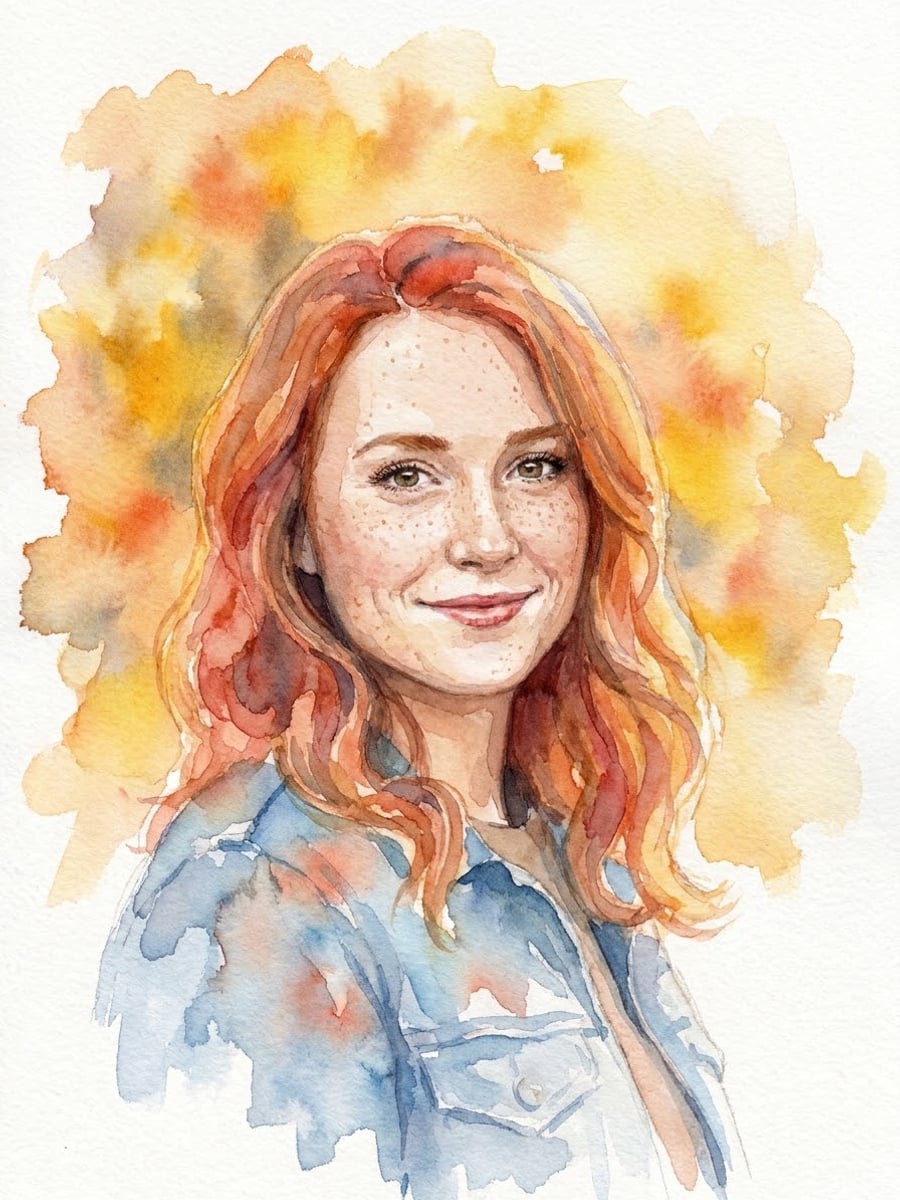
How to create this video
- 01Upload one photoAdd a clear head-and-shoulders photo of one adult with the face fully visible.
- 02Choose watercolor or oilWatercolor is light and airy; Oil painting is rich, warm and classical.
- 03Create and downloadSelect Create image, then download the painting from Library for a card, a frame or a gift.
What is a photo to painting converter?
A photo to painting converter is an AI tool that repaints a photo with the brushwork, texture and color behavior of a real painting medium, so a snapshot looks like a painted portrait. The medium decides the look. Watercolor uses transparent pigment in water, so colors stay light, blend softly and let the white paper glow through. Oil painting uses pigment in drying oil, which allows thick opaque layers, visible brushstrokes and deep shadows; it has been the main medium of European portraiture since the 15th century. The two looks on this page follow those traits from your photo.
Also searched as: photo to painting converter, photo to painting AI, photo to painting online free, photo to watercolor painting, photo to watercolor online free, AI oil painting filter, AI oil painting filter free, turn my picture into a painting, portrait painting from photo.
Should I choose Watercolor or Oil painting?
Choose Watercolor for a light, airy portrait with loose transparent washes, wet-on-wet color blooms, fine brush detail on the eyes and lips and white paper showing around the loosely painted edges. Choose Oil painting for a classical portrait with layered paint, visible brushstrokes, warm light from one side, deep shadows and a dark warm background on fine canvas texture. Both keep the facial features, skin tone, hair color, age and outfit colors.
Photo tips
- One adult, head and shoulders, face fully visible
- Soft daylight suits Watercolor
- Side light makes Oil painting more dramatic
- Simple backgrounds keep the focus on the face
- Use photos of yourself or adults who agreed
Effect details
- Input
- 1 photo of one adult
- Output
- A painted portrait of the same person
- Styles
- Watercolor or oil painting
- Aspect ratio
- 3:4 portrait
- Resolution
- 1K
- Cost
- First image free with a watermark, then 20 credits
- Failed job
- Credits or the free image returned
Frequently asked questions
Your first image on LeafReel is free, so your first result costs nothing and carries a LeafReel watermark. Buy any credit pack and that same image unlocks as the original file without the watermark. Each image after that costs 20 credits.
Upload one clear photo, choose Watercolor or Oil painting and select Create image. The AI repaints the photo as a portrait of the same person in that medium.
No. The painting is a digital image made by AI to look like watercolor or oil paint. Nothing is painted by hand and nothing is shipped.
You can print it yourself for personal use. The file is 1K, which looks sharp on cards and small prints; very large canvases may look soft.
Yes. Both styles keep the facial features, skin tone, hair color, age and outfit colors. Watercolor loosens the edges and background, but the face stays detailed.
No. Watercolor and Oil painting are general painting styles; the page does not imitate a named artist.
Only of adults who agreed. Photos of children, celebrities or people who did not consent are not allowed, and results must not be used to mock or harass anyone.
LeafReel does not grant or guarantee commercial rights to results. You keep the rights you already hold in your photo; before selling or advertising with the image, check the model terms and get written permission from the person shown.
Each painting costs 20 credits after your free image. The $9.90 One Video pack has 600 credits, enough for 30 images; on Pro each works out to about $0.17.
A failed painting job returns its 20 credits automatically, or, if it was your free image, you can try again for free.