
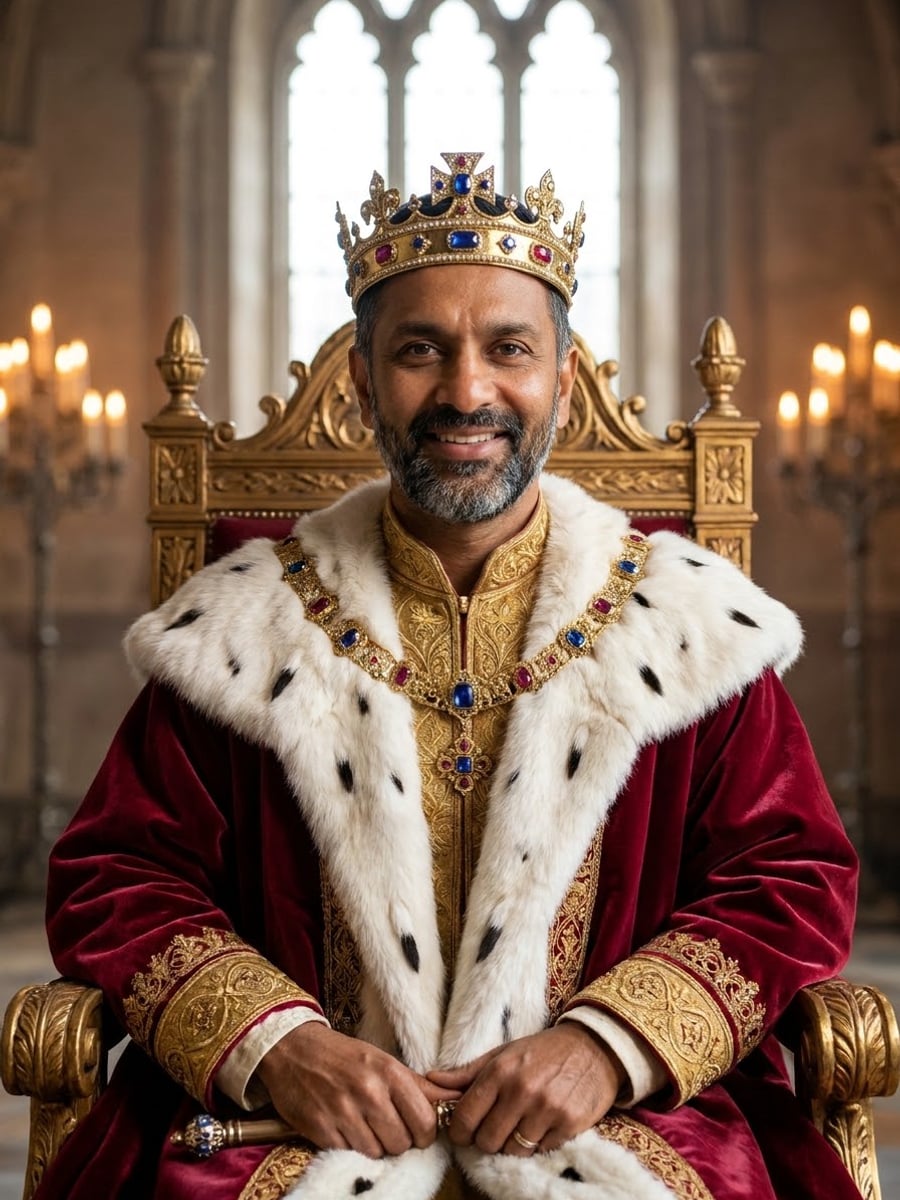
How to create this video
- 01Upload one photoAdd a clear photo of one adult with the face fully visible.
- 02Choose a royal styleThrone room is a cinematic palace photo; Court painting is a classical oil portrait.
- 03Create and downloadSelect Create image, then download your royal portrait from Library.
What is a royal portrait?
A royal portrait is a painting or photograph of a monarch or a member of a royal family, made to show power and status through crowns, robes, thrones and rich settings. For centuries, state portraits shaped how people saw their rulers, and copies spread through engravings and coins. An AI royal portrait borrows those symbols for fun; it is a costume picture, not an official portrait.
Also searched as: turn me into a king, turn me into a queen, royal portrait from photo, turn me into a royal painting, see yourself as a king, king portrait AI, queen portrait AI, AI royal portrait, royal painting generator.
What is the difference between Throne room and Court painting?
Throne room is a cinematic, photorealistic portrait: a jeweled gold crown, an ermine-trimmed crimson velvet robe over embroidered garments, a carved gilded throne and a grand palace hall with tall windows and candlelight. Court painting renders the same regalia, plus a golden scepter, as a 17th-century-style oil portrait with visible brushwork, a draped velvet curtain and a dark background. Both keep the face recognizable.
Photo tips
- One adult, face fully visible, no sunglasses
- A confident expression suits a monarch
- Even light keeps the face sharp under the crown
- Court painting suits framed prints and gifts
- Use photos of yourself or adults who agreed
Effect details
- Input
- 1 photo of one adult
- Output
- The same person as a king or queen
- Styles
- Throne room or court painting
- Aspect ratio
- 3:4 portrait
- Resolution
- 1K
- Cost
- First image free with a watermark, then 20 credits
- Failed job
- Credits or the free image returned
Frequently asked questions
Your first image on LeafReel is free, so your first result costs nothing and carries a LeafReel watermark. Buy any credit pack and that same image unlocks as the original file without the watermark. Each image after that costs 20 credits.
Upload one clear photo, choose Throne room or Court painting and select Create image. The AI dresses the same person in a crown and royal robe, in a palace or as an oil painting.
The AI follows the appearance in your photo and dresses the person as a king or queen to match it. There is no separate switch for this choice.
Yes. The face, skin tone, hair color and age come from your photo; only the clothes, crown and setting change.
No. The crown, robe and palace are invented costume details. The result is not modeled on any real monarch and does not suggest royal ancestry.
Yes, for personal use. The 1K file prints sharply on cards and small frames; large posters may look soft.
For a fairy-tale look with a tiara and ball gown, use [Turn Me Into a Princess](/image-effects/turn-me-into-a-princess).
Only of adults who agreed. Photos of children, celebrities or people who did not consent are not allowed, and results must not be used to mock or harass anyone.
LeafReel does not grant or guarantee commercial rights to results. You keep the rights you already hold in your photo; before selling or advertising with the image, check the model terms and get written permission from the person shown.
Each royal portrait costs 20 credits after your free image. The $9.90 One Video pack has 600 credits, enough for 30 images; on Pro each works out to about $0.17.
A failed royal portrait job returns its 20 credits automatically, or, if it was your free image, you can try again for free.