
How to create this video
- 01Upload one photoAdd a clear photo of one adult with the face fully visible.
- 02CreateSelect Create image; there is nothing to type or choose.
- 03Download and shareOpen Library to download your embroidery portrait.
What is the difference between embroidery and cross-stitch?
Embroidery is the decoration of fabric with needle and thread, using many kinds of stitches such as satin stitch, chain stitch and French knots. Cross-stitch is one embroidery technique in which small X-shaped stitches are counted on an even-weave fabric to build a picture like pixels. The embroidery effect mixes smooth satin stitches with fine cross-stitches to show a portrait as finished needlework.
Also searched as: turn photo into embroidery, embroidery portrait from photo, photo to embroidery design, embroidery photo effect, cross stitch portrait, photo to cross stitch, cross stitch photo effect.
What does the embroidery portrait look like?
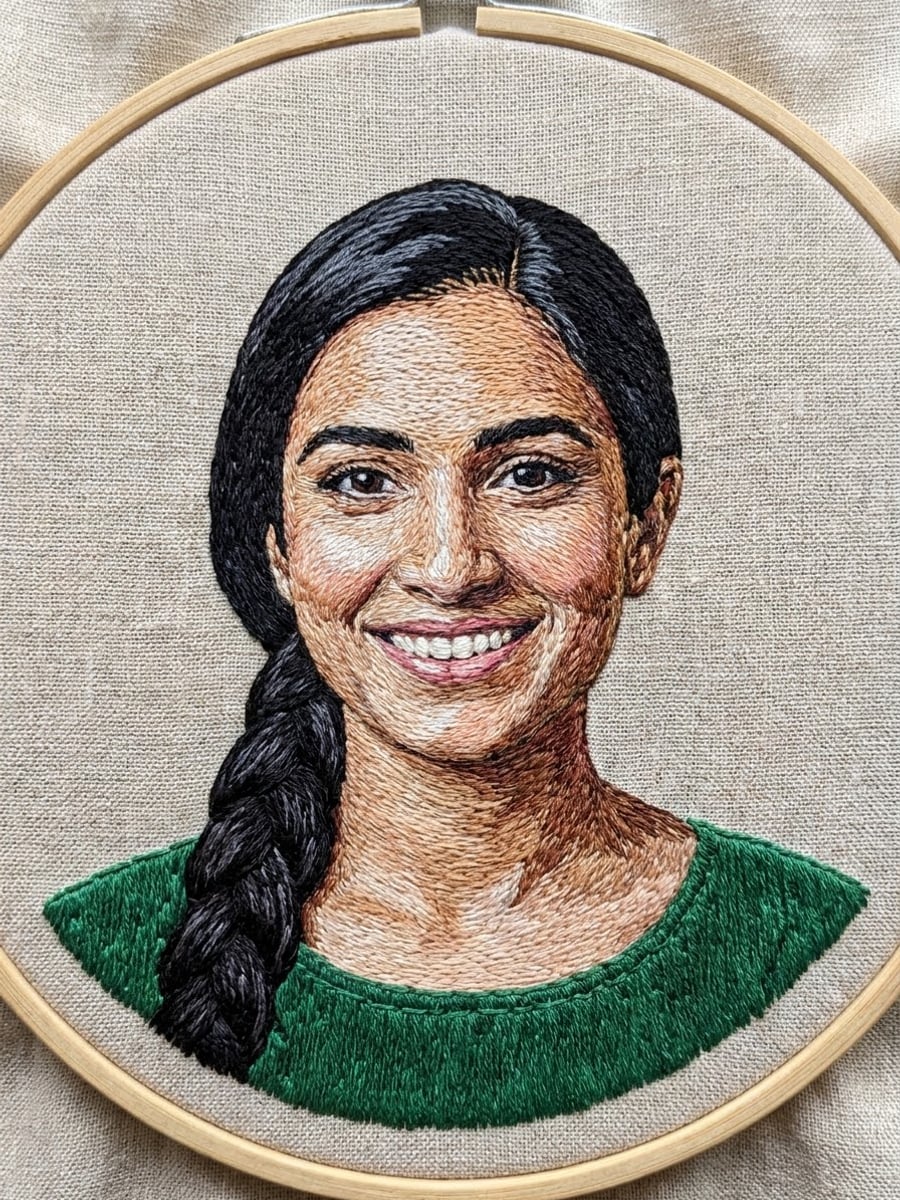
The embroidery portrait looks like a photo of real needlework: a round wooden hoop holding natural linen, the portrait stitched in colored cotton thread with satin stitches and fine cross-stitches that follow the face, hair and clothing, visible thread texture, slight fabric puckering and soft daylight from above. The face shape, features, hairstyle, hair color and skin tone come from your photo.
Photo tips
- One adult, face fully visible
- Simple backgrounds stitch more cleanly
- Bold clothing colors look great in thread
- Front-facing photos keep the likeness strongest
- Use photos of yourself or adults who agreed
Effect details
- Input
- 1 photo of one adult
- Output
- An image of an embroidered portrait in a hoop
- Aspect ratio
- 3:4 portrait
- Resolution
- 1K
- Cost
- First image free with a watermark, then 20 credits
- Failed job
- Credits or the free image returned
Frequently asked questions
Your first image on LeafReel is free, so your first result costs nothing and carries a LeafReel watermark. Buy any credit pack and that same image unlocks as the original file without the watermark. Each image after that costs 20 credits.
Upload one clear photo and select Create image. The AI shows your portrait as colored thread embroidery on linen in a wooden hoop.
No. You get one 3:4 image of what the finished embroidery could look like, not a counted chart, color key or PDF pattern.
Yes. Many people use the image as a visual reference before planning their own hoop, choosing thread colors by eye.
No. The result is a regular image, not an embroidery machine file, which needs special digitizing software.
Yes. The face shape, features, hairstyle, hair color and skin tone come from your photo, translated into stitches.
Only of adults who agreed. Photos of children, celebrities or people who did not consent are not allowed, and results must not be used to mock or harass anyone.
LeafReel does not grant or guarantee commercial rights to results. You keep the rights you already hold in your photo; before selling or advertising with the image, check the model terms and get written permission from the person shown.
Each embroidery portrait costs 20 credits after your free image. The $9.90 One Video pack has 600 credits, enough for 30 images; on Pro each works out to about $0.17.
A failed embroidery job returns its 20 credits automatically, or, if it was your free image, you can try again for free.