
How to create this video
- 01Upload one photoAdd a clear photo of one adult with the face fully visible.
- 02CreateSelect Create image; there is nothing to type or choose.
- 03Download and shareOpen Library to download your vampire portrait.
What is a vampire in folklore?
A vampire is a creature of folklore, a humanlike being that rises from the dead and feeds on the blood or life force of the living. Vampire legends come from many parts of Europe, and 19th-century novels turned the figure into the pale, elegant aristocrat in a cape that most people picture today. An AI vampire filter borrows that gothic look for a portrait; it is costume art, not folklore.
Also searched as: vampire filter, turn me into a vampire AI, vampire filter for photo, vampire filter online, vampire filter online free, turn my picture into a vampire, turn yourself into a vampire, vampire portrait from photo.
What does the vampire portrait look like?
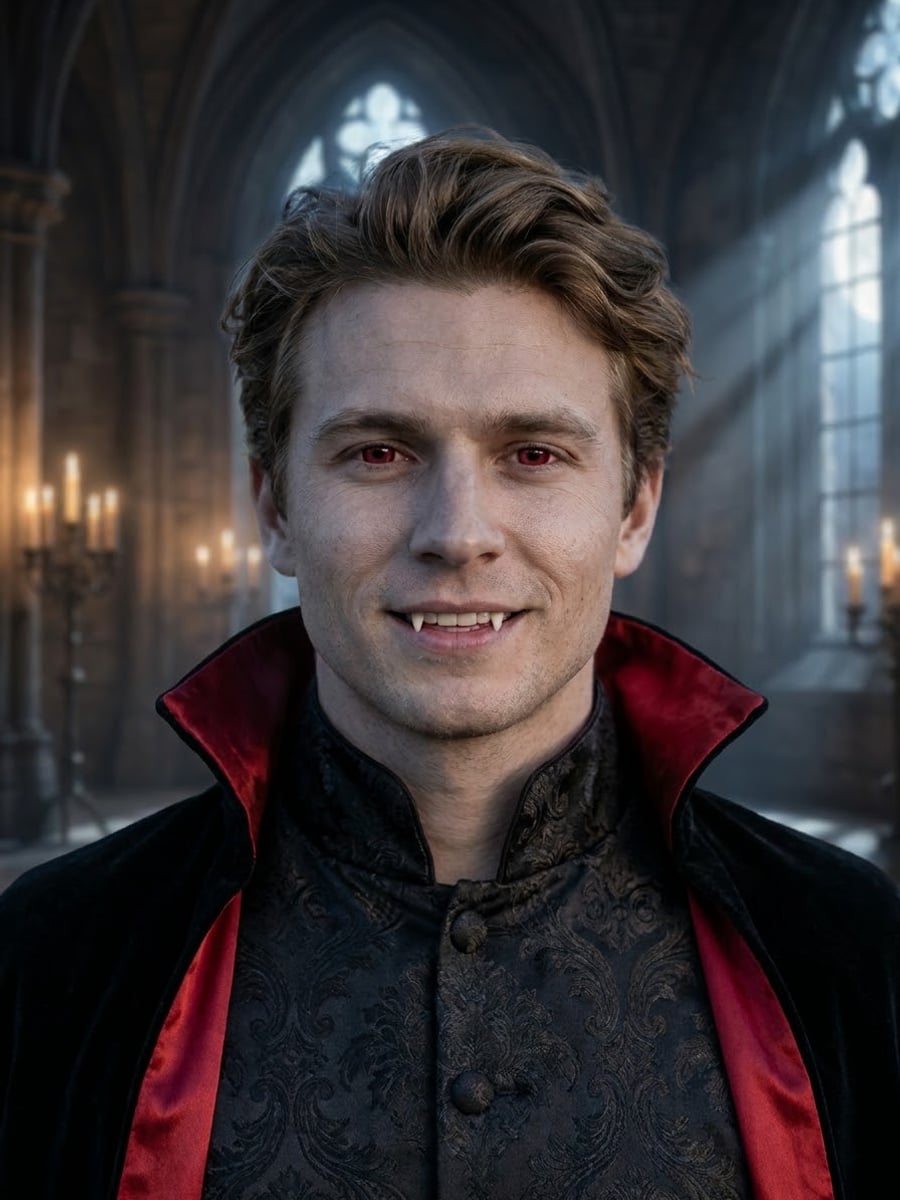
The vampire portrait is a cinematic gothic scene: skin a little paler than in your photo, deep crimson eyes, two small pointed fangs, dark Victorian clothing with a high collar and a black velvet cape lined in red, and a candlelit castle hall with moonlight through tall arched windows. The face shape, features, hairstyle and age stay yours, and there is no blood.
Photo tips
- One adult, face fully visible
- A slight smile shows the fangs best
- Front-facing photos keep the likeness strongest
- Even light keeps the eyes sharp
- Use photos of yourself or adults who agreed
Effect details
- Input
- 1 photo of one adult
- Output
- The same person as a gothic vampire
- Aspect ratio
- 3:4 portrait
- Resolution
- 1K
- Cost
- First image free with a watermark, then 20 credits
- Failed job
- Credits or the free image returned
Frequently asked questions
Your first image on LeafReel is free, so your first result costs nothing and carries a LeafReel watermark. Buy any credit pack and that same image unlocks as the original file without the watermark. Each image after that costs 20 credits.
Upload one clear photo and select Create image. The AI keeps your face and adds pale skin, crimson eyes, small fangs and a gothic cape in a candlelit castle.
Yes. The face shape, features, hairstyle, hair color and age come from your photo. Only the skin gets a little paler and the eyes turn crimson.
No. The look is elegant gothic rather than gory: there is no blood, only fangs, crimson eyes and a dark castle setting.
No. It runs on this web page and makes one still image you can download and post anywhere; it is not a live camera filter.
Yes. The vampire filter works any time of year, and it makes a ready-made Halloween profile picture, party invite or costume idea without any makeup.
Only of adults who agreed. Photos of children, celebrities or people who did not consent are not allowed, and results must not be used to mock or harass anyone.
LeafReel does not grant or guarantee commercial rights to results. You keep the rights you already hold in your photo; before selling or advertising with the image, check the model terms and get written permission from the person shown.
Each vampire portrait costs 20 credits after your free image. The $9.90 One Video pack has 600 credits, enough for 30 images; on Pro each works out to about $0.17.
A failed vampire job returns its 20 credits automatically, or, if it was your free image, you can try again for free.