
How to create this video
- 01Pick a styleChoose Elegant for flowing cursive or Minimal for a clean modern signature.
- 02Type your nameWrite the name as you want it signed, up to 30 characters.
- 03Create and practiceSelect Create image, open Library to download the sheet, and practice the design you like by hand.
What makes a good signature?
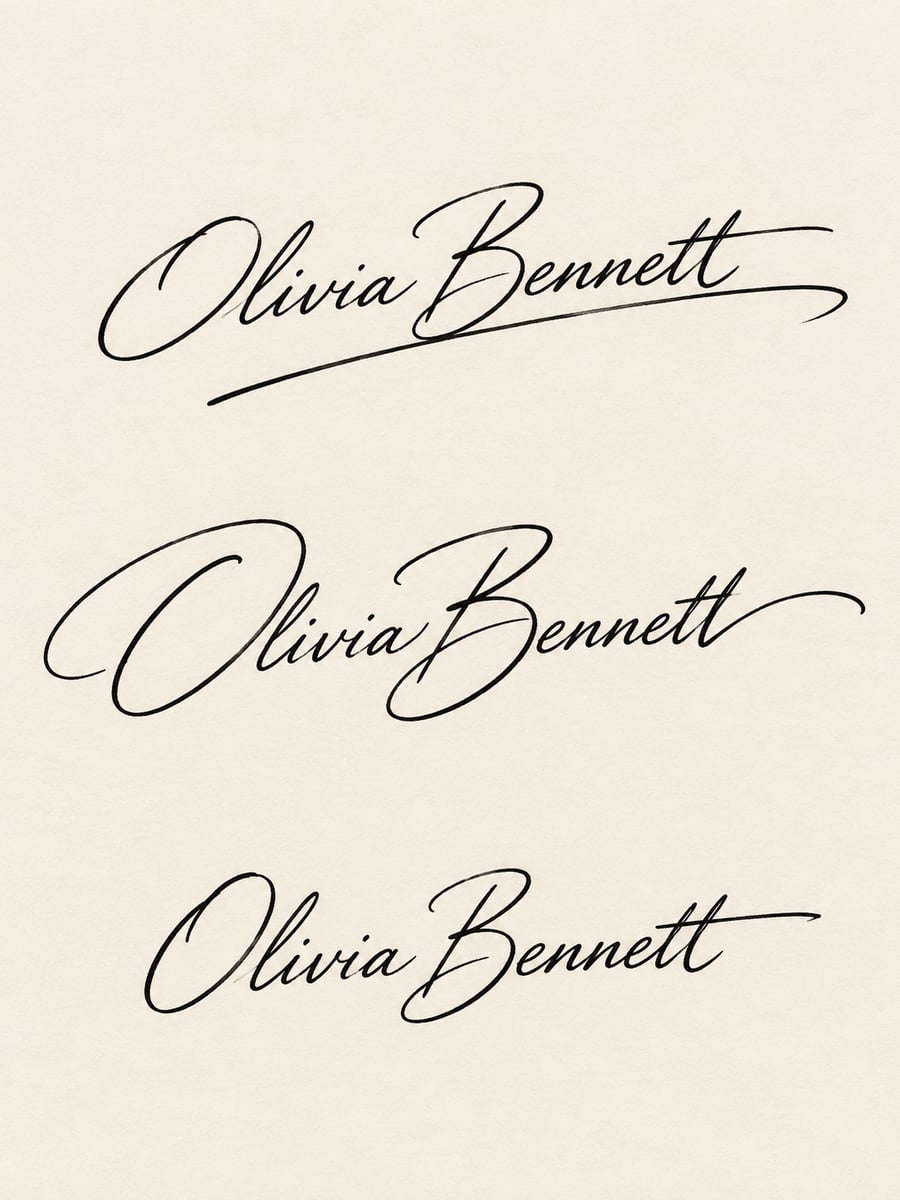
A signature is a handwritten, often stylized version of a person’s name that they write the same way each time. A good one is quick to write, consistent and personal: some people keep every letter readable, others reduce the name to a capital and a flourish. The AI Signature Generator shows three styles of your name side by side so you can choose one and practice writing it by hand.
Also searched as: AI signature generator for my name, signature generator for my name, handwritten signature generator, cursive signature generator, signature ideas for my name, signature maker, autograph generator, signature design online.
Elegant or Minimal: which signature style should I choose?
Elegant draws three flowing cursive signatures in black fountain-pen ink on warm off-white paper, each with a different flourish: a long underline swash, a bold capital loop and a compact, refined version. Minimal draws three clean monoline signatures on white: one slanted and fast, one upright and rounded, one with a short underline. Every design spells the name you type.
Photo tips
- Type the name exactly as you want it signed
- First and last name, or first name and initial, work best
- Check spelling before you create; the AI copies your text
- Practice the design by hand; a real signature is your own handwriting
- Only make signatures for your own name
Effect details
- Input
- No photo; your name
- Looks
- Elegant or Minimal, three designs each
- Aspect ratio
- 3:4 portrait
- Resolution
- 1K
- Cost
- First image free with a watermark, then 20 credits
- Failed job
- Credits or the free image returned
Frequently asked questions
Your first image on LeafReel is free, so your first signature sheet costs nothing and carries a LeafReel watermark. Buy any credit pack and that same image unlocks as the original file without the watermark. Each sheet after that costs 20 credits.
Pick Elegant or Minimal, type your name and select Create image. The AI draws three different signature designs of that name on one sheet.
Use it as inspiration. A legal signature is the mark you make yourself, so pick a design you like and practice writing it by hand. The image is not an electronic signature and is not meant to be pasted onto contracts or official documents.
No. The sheet is a 3:4 image on plain paper or white; it is made for choosing and practicing a design, not for pasting as a cut-out.
Usually, yes. The AI copies the name you type, and plain first and last names come out most reliably. If a letter is wrong, try again.
Not on this page. The AI Signature Generator works from your typed name only, so it creates new designs rather than copying an existing signature.
Only make signature designs for your own name. Copying or imitating another person’s signature is not allowed.
Each sheet of three signature designs costs 20 credits after your free image. The $9.90 One Video pack has 600 credits, enough for 30 images; on Pro each works out to about $0.17.
A failed signature job returns its 20 credits automatically, or, if it was your free image, you can try again for free.