
How to create this video
- 01Upload one photoAdd a clear, front-facing photo of one adult with the face fully visible.
- 02CreateSelect Create image; there is nothing to type or choose.
- 03Download and shareOpen Library to download your cyborg portrait.
What is the difference between a robot and a cyborg?
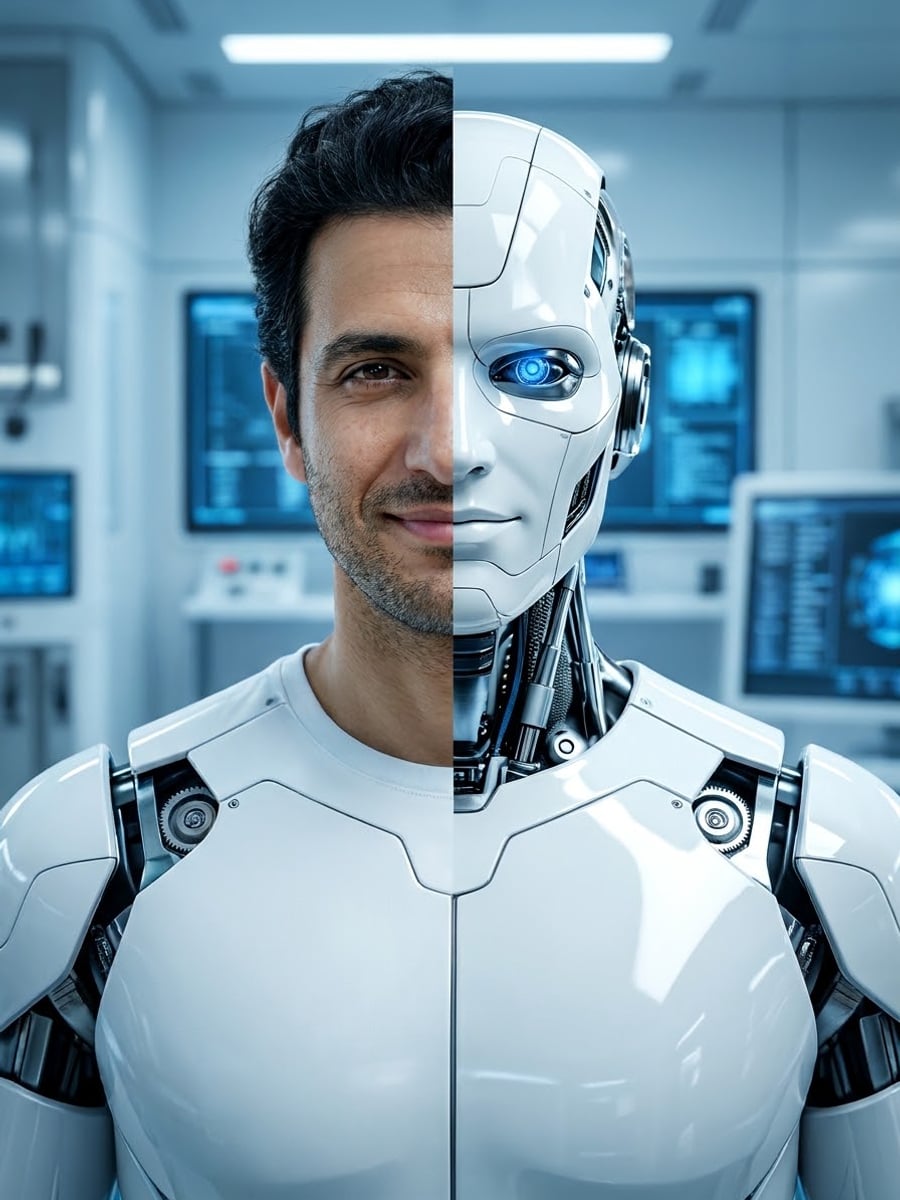
A robot is a machine that can carry out a series of actions automatically, usually under programmed control, and it does not need to look human. A cyborg is a being that combines living, organic parts with artificial, mechanical ones. Turn Me Into a Robot shows the cyborg idea, half human and half machine, so the face stays recognizable; it is a visual effect, not a real robot.
Also searched as: turn me into a robot AI, robot filter photo, turn photo into robot, AI robot portrait, cyborg filter, cyborg portrait from photo, half robot face, android portrait.
What does the robot portrait look like?
The robot portrait is a cinematic sci-fi photo: one half of the face is fully human with the same features, skin tone, eye color and age; the other half, the neck and the shoulders are sleek white and chrome panels with fine seams, precise mechanics and a softly glowing blue optical eye. A clean futuristic laboratory with cool blue light sits behind.
Photo tips
- One adult, front-facing, face fully visible
- A neutral expression suits the split face
- Even light keeps both halves sharp
- Hair stays as it is on the human side
- Use photos of yourself or adults who agreed
Effect details
- Input
- 1 photo of one adult
- Output
- The same person as a half-human cyborg
- Aspect ratio
- 3:4 portrait
- Resolution
- 1K
- Cost
- First image free with a watermark, then 20 credits
- Failed job
- Credits or the free image returned
Frequently asked questions
Your first image on LeafReel is free, so your first result costs nothing and carries a LeafReel watermark. Buy any credit pack and that same image unlocks as the original file without the watermark. Each image after that costs 20 credits.
Upload one clear, front-facing photo and select Create image. The AI keeps half of your face human and turns the other half into chrome robot panels with a glowing eye.
Yes. Half of the face stays fully human with the same features, skin tone, eye color and age, so it is clearly you.
Not on this page. It makes a half-human cyborg so the face stays recognizable; a fully metal head would lose your likeness.
No. Turn Me Into a Robot makes one still image. It does not change voices or videos.
No. The white and chrome panels and blue eye are an original design, not any character from a film or game.
Only of adults who agreed. Photos of children, celebrities or people who did not consent are not allowed, and results must not be used to mock or harass anyone.
LeafReel does not grant or guarantee commercial rights to results. You keep the rights you already hold in your photo; before selling or advertising with the image, check the model terms and get written permission from the person shown.
Each robot portrait costs 20 credits after your free image. The $9.90 One Video pack has 600 credits, enough for 30 images; on Pro each works out to about $0.17.
A failed robot job returns its 20 credits automatically, or, if it was your free image, you can try again for free.