
How to create this video
- 01Upload one photoAdd a clear photo of one adult with the face fully visible.
- 02Choose 3D or 2D3D cartoon looks like an animated movie character; 2D cartoon is a flat illustration with thick outlines.
- 03Create and downloadSelect Create image, then download your cartoon from Library for an avatar, a card or a sticker.
What does an AI cartoon generator from a photo do?
An AI cartoon generator from a photo redraws a real picture as a cartoon: simplified shapes, bolder outlines, brighter colors and slightly exaggerated features such as larger eyes. A cartoon, in the modern sense, is a simplified, often humorous drawing or an animated character. Older cartoonizer filters only traced edges and flattened colors; the LeafReel generator redraws the person as a new character while keeping them recognizable.
Also searched as: photo to cartoon converter, photo to cartoon AI, turn me into a cartoon, turn me into a cartoon character, AI cartoon generator from photo, cartoonize photo, photo to cartoon online free, turn my picture into a cartoon, cartoon version of me.
What is the difference between 3D cartoon and 2D cartoon?
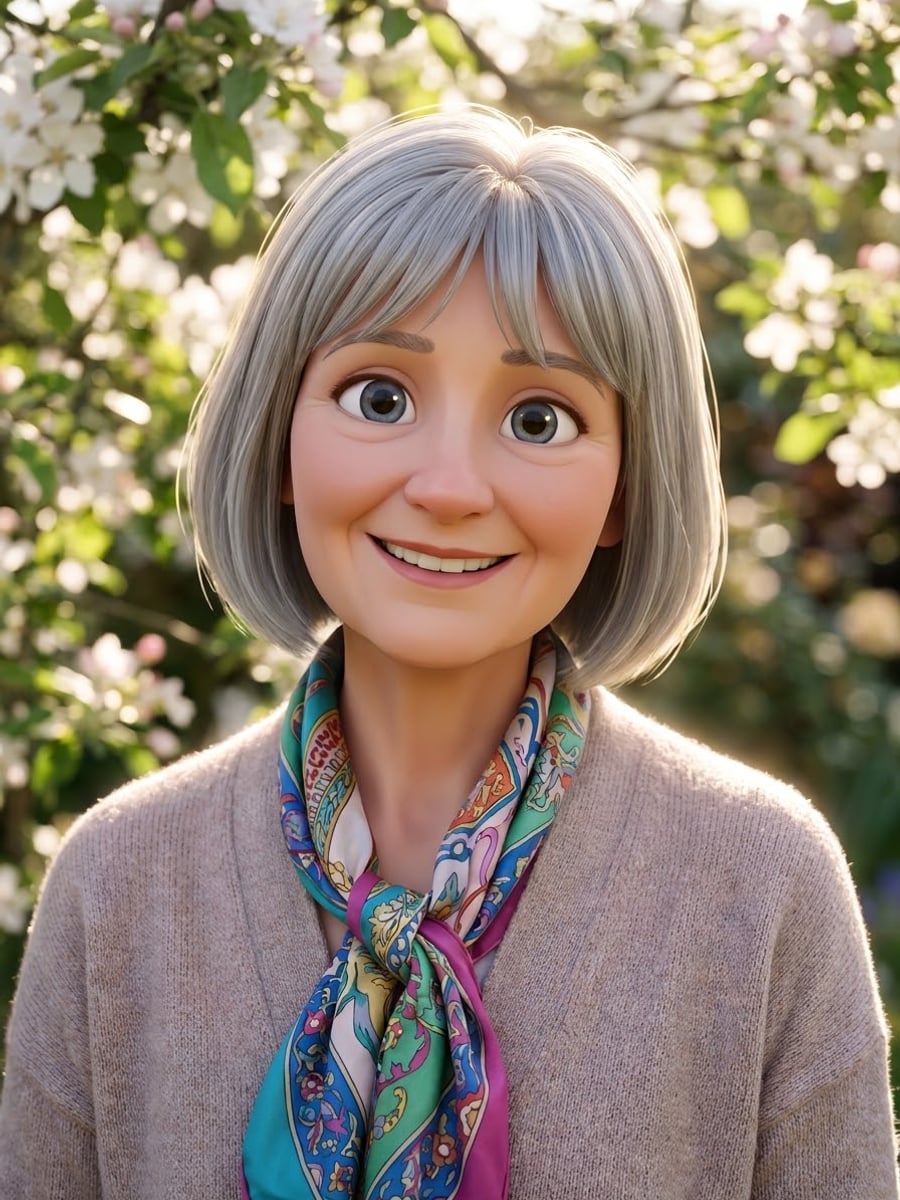
3D cartoon renders the person as an animated movie character, with a slightly larger head and eyes, smooth stylized skin, soft cinematic light and a warm smile against a blurred outdoor background. 2D cartoon draws the same person as a flat illustration with thick black outlines, bright flat colors, simple rounded shapes and a plain pastel background. Both keep the face shape, hairstyle, hair color, eye color, skin tone and outfit colors.
Photo tips
- One adult, face clearly visible, no sunglasses
- A smiling photo gives a friendlier cartoon
- Bright, even light keeps the colors clean
- 2D cartoon suits stickers; 3D suits avatars
- Use photos of yourself or adults who agreed
Effect details
- Input
- 1 photo of one adult
- Output
- The same person as a cartoon character
- Styles
- 3D cartoon or 2D cartoon
- Aspect ratio
- 3:4 portrait
- Resolution
- 1K
- Cost
- First image free with a watermark, then 20 credits
- Failed job
- Credits or the free image returned
Frequently asked questions
Your first image on LeafReel is free, so your first result costs nothing and carries a LeafReel watermark. Buy any credit pack and that same image unlocks as the original file without the watermark. Each image after that costs 20 credits.
Yes. Upload one clear photo, choose 3D cartoon or 2D cartoon and select Create image. The AI redraws the photo as a cartoon character that keeps your face shape, hairstyle and colors.
Yes. The cartoon keeps the face shape, hairstyle, hair color, eye color, skin tone and outfit colors, so it reads as you. The proportions are stylized, especially in 3D cartoon, which makes the eyes and head a little larger.
No. A caricature exaggerates features for comedy. This cartoon keeps the face in friendly, balanced proportions, the way animated characters are designed.
No. 3D cartoon and 2D cartoon are original general styles; the page does not copy a named studio, film or character.
Yes, for personal use. The 3:4 portrait crops into a square avatar, and the 2D cartoon with its plain background is easy to cut out as a sticker.
Only of adults who agreed. Photos of children, celebrities or people who did not consent are not allowed, and results must not be used to mock or harass anyone.
LeafReel does not grant or guarantee commercial rights to results. You keep the rights you already hold in your photo; before selling or advertising with the image, check the model terms and get written permission from the person shown.
Each cartoon costs 20 credits after your free image. The $9.90 One Video pack has 600 credits, enough for 30 images; on Pro each works out to about $0.17.
A failed cartoon job returns its 20 credits automatically, or, if it was your free image, you can try again for free.